This course provides an overview of GroupWise functionality and how to navigate through the main GroupWise interface. This course also discusses the features and enhancements that are new to GroupWise 6.5.
Class goals :
Start the GroupWise program
Identify parts of the GroupWise interface
Explain the functionality of GroupWise default folders
Use the Toolbar, keystroke shortcuts, QuickMenus, and QuickViewer
Explain features and functions that are new to GroupWise 6.5
Content of GroupWise 6.5 Series: Getting Started
Introducing GroupWise 6.5
Using the GroupWise interface
Navigating in GroupWise
GroupWise features
GroupWise functions
Training GroupWise 6.5 Series
Onze voordelen :
Type of training: Inter-company, intra-company and individual
100% flexible & personalised training : You choose the place, the dates and the training program
Offer request : Response within 24 hours
50% discount for SME’s from Brussels-Capital Region
Free parking, lunch & drinks
Free use of our Digital Competence Centre: Manuals, courses, exercises, …
This course teaches the user how to create and use GroupWise library documents, shared folders, and discussions. This course also teaches how to create rules for organizing messages.
Class goals :
Create a new GroupWise library document
Import an existing document into a GroupWise library
Edit a library document
Grant access privileges to library documents
Check documents in and out of a library
Create a shared folder and allow others to access it
Use and view discussion threads
Create automatic rules for sorting messages
Content of GroupWise 5.5 Series: Managing Documents and Folders
Using a Document Library
Working with Document Library Files
Creating and Using Shared Folders
Starting and Using Discussions
Training GroupWise 5.5 Series
Onze voordelen :
Type of training: Inter-company, intra-company and individual
100% flexible & personalised training : You choose the place, the dates and the training program
Offer request : Response within 24 hours
50% discount for SME’s from Brussels-Capital Region
Free parking, lunch & drinks
Free use of our Digital Competence Centre: Manuals, courses, exercises, …
After taking this course, the learner will be familiar with the steps to take in order to access a GroupWise account through WebAccess from a Web browser. The course also explains how to manage a GroupWise Mailbox through a handheld device.
Class goals :
Launch GroupWise WebAccess
Attach a file to an email message
Manage your Address Book
Configure Mailbox options
Manage your GroupWise Mailbox from your PDA
Content of GroupWise 6.5 Series: Mobile GroupWise Access
Exploring GroupWise WebAccess
Sending messages with WebAccess
Working with other WebAccess features
Using GroupWise with wireless devices
Training GroupWise 6.5 Series
Onze voordelen :
Type of training: Inter-company, intra-company and individual
100% flexible & personalised training : You choose the place, the dates and the training program
Offer request : Response within 24 hours
50% discount for SME’s from Brussels-Capital Region
Free parking, lunch & drinks
Free use of our Digital Competence Centre: Manuals, courses, exercises, …


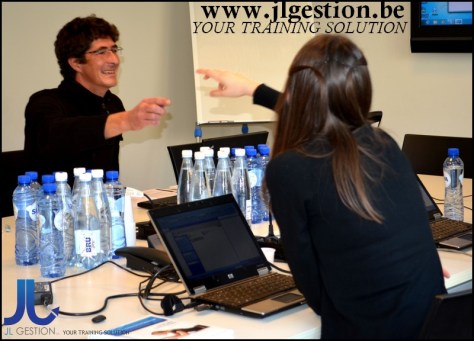
 Training-brussels - business training center in Brussels