After taking this course, the learner will be able to work with a presentation application to insert, manipulate, and format text, images, and slides. The learner will also be able to draw objects and produce charts for a presentation; print and distribute a presentation; and add special effects to a slide presentation.
Class goals :
Create, format, save, open, revise, and close a presentation document
Export a presentation document to an application or Web site
Add text and an images to a slide
Use a master slide
Preview and print a presentation document
Add special effects and deliver the slide show
Content of PC Applications Series: Presentation
Opening and closing an application and presentations
Using help
Adjusting settings
Presentation views
Slides and design templates
The master slide
Adding and editing text
Formatting the slide layout
Inserting images
Creating charts and graphs
Creating organizational charts
Drawing objects
Editing drawn objects
Copying, moving, and deleting objects
Adding slide show effects
Preparing presentations
Printing and delivering a presentation
Training PC Apllications Series
Onze voordelen :
Type of training: Inter-company, intra-company and individual
100% flexible & personalised training : You choose the place, the dates and the training program
Offer request : Response within 24 hours
50% discount for SME’s from Brussels-Capital Region
Free parking, lunch & drinks
Free use of our Digital Competence Centre: Manuals, courses, exercises, …
After taking this course, the learner will be able to work with a database application to create a database, create, use, and change a data entry form, retrieve information, and create reports.
Class goals :
Open, close, create, and update a database
Revise and save records
Create, use, and revise a data entry form
Create and refine a query
Select and sort data
Create and edit a report
Content of PC Applications Series: Database
Database concepts
Opening and closing a database application
Adjusting settings
Defining table fields
Finalizing tables
Creating table relationships
Adding and revising records
Working with forms
Searching records
Filtering and sorting records
Queries
Advanced query functions
Creating reports
Working with reports
Printing information
Training PC Applications Series
Onze voordelen :
Type of training: Inter-company, intra-company and individual
100% flexible & personalised training : You choose the place, the dates and the training program
Offer request : Response within 24 hours
50% discount for SME’s from Brussels-Capital Region
Free parking, lunch & drinks
Free use of our Digital Competence Centre: Manuals, courses, exercises, …
After taking this course, the learner will be able to work with a spreadsheet application to insert and manipulate data. The learner will also be able to create formulas and functions, format and print a spreadsheet, import objects, and create and adjust charts.
Class goals :
Open, revise, close, and print a spreadsheet
Insert, select, copy, move, and delete data
Search, replace, sort, and format data
Use, create, and copy both formulas and functions (e.g., SUM, AVERAGE, and IF)
Import an object and text file into a spreadsheet
Create, adjust, move, and delete a chart
Content of PC Applications Series: Spreadsheets
Opening and closing spreadsheets
Creating and saving spreadsheets
Using help
Adjusting settings
Cells
Rows and columns
Editing data
Copying data
Moving and deleting data
Find and replace
Sorting data
Handling worksheets
Working with formulas
Cell referencing
Working with functions
The IF function
Formatting numbers and dates
Formatting cell contents
Working with alignments and border effects
Creating charts and graphs
Editing charts and graphs
Worksheet setup
Printing worksheets
Training PC Applications Series
Onze voordelen :
Type of training: Inter-company, intra-company and individual
100% flexible & personalised training : You choose the place, the dates and the training program
Offer request : Response within 24 hours
50% discount for SME’s from Brussels-Capital Region
Free parking, lunch & drinks
Free use of our Digital Competence Centre: Manuals, courses, exercises, …
After taking this course, the learner will be able to use a word processing application to create documents, as well as manipulate and format text. The learner will also be able to prepare a document for printing, preview and print a document, create tables, import objects, and merge a mailing list with a document.
Class goals :
Create, save, close, and revise a document or template
Format characters and paragraphs individually and as a group (using styles)
Search and replace text
Preview and print a document
Create, manipulate, and format a table
Add and manipulate graphics and objects
Content of PC Applications Series: Word Processing
Opening and closing a word processing application and documents
Saving documents
Adjusting settings
Inserting data
Selecting and editing data
Copying, moving, and deleting text
Search and replace
Formatting text
Working with text formats
Working with paragraphs
Working with lists and borders
Document formatting
Headers and footers
Creating tables
Training PC Applications Series
Onze voordelen :
Type of training: Inter-company, intra-company and individual
100% flexible & personalised training : You choose the place, the dates and the training program
Offer request : Response within 24 hours
50% discount for SME’s from Brussels-Capital Region
Free parking, lunch & drinks
Free use of our Digital Competence Centre: Manuals, courses, exercises, …
After taking this course, the learner will be able to start, shut down, and restart the computer; display system data, desktop information, and online help; work with icons and windows; organize files and folders; as well as edit and print data.
Class goals :
Start, shut down, and restart a personal computer
Display information about the operating system and the desktop
Format a diskette
Identify the parts of an application window
Manage folders, files, and program icons
Edit and print data
Content of PC Applications Series: Using the Computer and Managing Files
Starting and shutting down the PC
Displaying system information
Changing the PC’s desktop configuration
PC setup operations
Introduction to icons
Working with desktop icons
Working with windows
Using help
Text editing
File management
Working with folders and files
Deleting and restoring folders and files
Searching for folders and files
Compressing files
Viruses
Printer setup
Training PC Applications Series
Onze voordelen :
Type of training: Inter-company, intra-company and individual
100% flexible & personalised training : You choose the place, the dates and the training program
Offer request : Response within 24 hours
50% discount for SME’s from Brussels-Capital Region
Free parking, lunch & drinks
Free use of our Digital Competence Centre: Manuals, courses, exercises, …
After taking this course, the learner will be able to identify and differentiate various kinds of computers, hardware, and software. The learner will also be able to describe the concept of networking and list strategies for protecting their computers and the data they contain.
Class goals :
Identify various kinds of computers, from mainframes to microcomputers
Distinguish between computer hardware and software
Identify the steps in developing a computer-based system
List several ways that networking extends the capabilities of a personal computer
List several precautions to follow to prevent damage to a computer and its data
Distinguish differences among copyrighted software, shareware, and freeware
Content of PC Applications Series: Concepts of Information Technology (IT)
Information technology
Understanding computer types
Main parts of a personal computer
Computer performance
Input and output
Computer storage devices
Software
Types of software
Systems development
Networks
The electronic world
Health, safety, and environment
Security
Copyright and the law
Training PC Applications Series
Onze voordelen :
Type of training: Inter-company, intra-company and individual
100% flexible & personalised training : You choose the place, the dates and the training program
Offer request : Response within 24 hours
50% discount for SME’s from Brussels-Capital Region
Free parking, lunch & drinks
Free use of our Digital Competence Centre: Manuals, courses, exercises, …
This course shows users how to use advanced Paint Shop Pro 5 techniques to manipulate complex images like scanned photographs and graphics with multiple parts.
Class goals :
Use the Image Browser
Adjust an image’s brightness, contrast, hue, saturation, and lightness
Work with layers
Work with text and drop shadows
Print images
Content of Paint Shop Pro 5 Series: Enhancing Images
Using the Image Browser
Adjusting an Image
Introducing Layers
Working with Layers
Managing Layers
Working with Text and Drop Shadows
Printing Images
Training Paint Shop Pro 5 Series
Onze voordelen :
Type of training: Inter-company, intra-company and individual
100% flexible & personalised training : You choose the place, the dates and the training program
Offer request : Response within 24 hours
50% discount for SME’s from Brussels-Capital Region
Free parking, lunch & drinks
Free use of our Digital Competence Centre: Manuals, courses, exercises, …
This course shows users how to create graphics using basic Paint Shop Pro 5 functions. It describes how to create, open, and save files as well as how to do simple image manipulations, such as cropping, resizing, and altering colors.
Class goals :
Open and save images
Zoom, crop, and resize images
Copy and paste image files
Select and rotate images
Work with colors
Create a finished image
Content of Paint Shop Pro 5 Series: Working With Graphics
Opening and Saving Images
Zooming, Cropping, and Resizing Images
Copying and Pasting Image Files
Selecting and Rotating Images
Working with Colors
Creating a Finished Image
Training Paint Shop Pro 5 Series
Onze voordelen :
Type of training: Inter-company, intra-company and individual
100% flexible & personalised training : You choose the place, the dates and the training program
Offer request : Response within 24 hours
50% discount for SME’s from Brussels-Capital Region
Free parking, lunch & drinks
Free use of our Digital Competence Centre: Manuals, courses, exercises, …


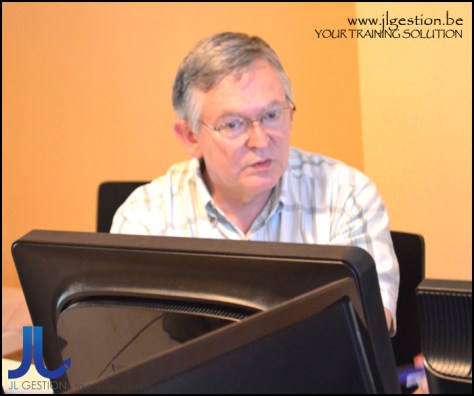
 Training-brussels - business training center in Brussels