Class overview :
This course provides an overview of the new features in Microsoft Office Outlook 2007.
Class goals :
Navigate Outlook using the To-Do Bar, a tabbed messaging window, and the Office menu
Set up an e-mail account
Search mail messages, calendars, and contacts
Use color categories and flags to organize and prioritize messages and contacts
Subscribe to RSS feeds
Set e-mail security options
Content of Office 2007 Series: What’s New in Outlook
The new look
Setting up e-mail accounts
Instant Search
Setting up color categories
Adding RSS feeds
Defining messages as tasks
Using the calendar
Protecting yourself
Training Office 2007 Series
Onze voordelen :
Type of training: Inter-company, intra-company and individual
100% flexible & personalised training : You choose the place, the dates and the training program
Offer request : Response within 24 hours
50% discount for SME’s from Brussels-Capital Region
Free parking, lunch & drinks
Free use of our Digital Competence Centre: Manuals, courses, exercises, …
Class overview :
This course provides an overview of the new features in Microsoft Office Access 2007.
Class goals :
Navigate Access using the Ribbon, Office Menu, and Navigation Pane
Create a database
Create new forms
Filter the data in a table
Generate reports from a table
Migrate database objects to SQL Server and Windows SharePoint Services
Content of Office 2007 Series: What’s New in Access
The new look
Creating a database
Importing data
Filtering data
Creating reports
Upsizing and moving data
Training Office 2007 Series
Onze voordelen :
Type of training: Inter-company, intra-company and individual
100% flexible & personalised training : You choose the place, the dates and the training program
Offer request : Response within 24 hours
50% discount for SME’s from Brussels-Capital Region
Free parking, lunch & drinks
Free use of our Digital Competence Centre: Manuals, courses, exercises, …
Class overview :
This course provides an overview of the new features in Microsoft Office PowerPoint 2007. It shows you how to create tables and charts, apply themes and effects, set presentation options, and finalize a presentation.
Class goals :
Create diagrams, tables, and charts
Apply themes to your presentations
Set presentation options
Use the Slide Library
Finalize a presentation
Content of Office 2007 Series: What’s New in PowerPoint Office 2007 Series: What’s New in PowerPoint
The new look
Diagrams, tables, and charts
Themes
Effects
Presentation options
The Slide Library
Finalizing a presentation
Training Office 2007 Series
Onze voordelen :
Type of training: Inter-company, intra-company and individual
100% flexible & personalised training : You choose the place, the dates and the training program
Offer request : Response within 24 hours
50% discount for SME’s from Brussels-Capital Region
Free parking, lunch & drinks
Free use of our Digital Competence Centre: Manuals, courses, exercises, …
Class overview :
This course provides an overview of the new features in Microsoft Office Excel 2007.
Class goals :
Identify features of the new Excel 2007 user interface
Convert Excel data into table format
Use Excel 2007′s Formula AutoComplete feature
Analyze data in Excel 2007 using conditional formatting
Create professional looking reports
Insert and format charts
Work with PivotTables and PivotCharts
Content of Office 2007 Series: What’s New in Excel
The new look of Excel 2007
Using the workbook
Creating and formatting tables
Formula features
Analyzing data using conditional formatting
Creating reports
Creating charts
Creating PivotTables and PivotCharts
Training Office 2007 Series
Onze voordelen :
Type of training: Inter-company, intra-company and individual
100% flexible & personalised training : You choose the place, the dates and the training program
Offer request : Response within 24 hours
50% discount for SME’s from Brussels-Capital Region
Free parking, lunch & drinks
Free use of our Digital Competence Centre: Manuals, courses, exercises, …
Class overview :
This course provides information about the new user interface designed for the Microsoft Office 2007 applications.
Class goals :
List and describe the features of the new Office 2007 user interface
Change application settings in Office 2007 products
Use the Live Preview feature
Content of Office 2007 Series: Navigating the New Interface
Why the big change?
The Ribbon: Command tabs and contextual tabs
The Ribbon: The Office menu
Galleries and live preview
Other new interface features
Training Office 2007 Series
Onze voordelen :
Type of training: Inter-company, intra-company and individual
100% flexible & personalised training : You choose the place, the dates and the training program
Offer request : Response within 24 hours
50% discount for SME’s from Brussels-Capital Region
Free parking, lunch & drinks
Free use of our Digital Competence Centre: Manuals, courses, exercises, …
Class overview :
This course provides an overview of the new features available in each Office 2007 application.
Class goals :
Describe new features found in each of the Office 2007 applications
Content of Office 2007 Series: Changes in Applications
Outlook
Word
Excel
Access
PowerPoint
FrontPage
Training Office 2007 Series
Onze voordelen :
Type of training: Inter-company, intra-company and individual
100% flexible & personalised training : You choose the place, the dates and the training program
Offer request : Response within 24 hours
50% discount for SME’s from Brussels-Capital Region
Free parking, lunch & drinks
Free use of our Digital Competence Centre: Manuals, courses, exercises, …
Class overview :
This course provides an overview of the new features common to the Office 2007 applications.
Class goals :
Describe the two new Office 2007 applications
Describe new features found in many of the applications in Office 2007
Content of Office 2007 Series: New Features
Introducing Office 2007
InfoPath
OneNote
XML support
Smart documents
Research task pane
Collaboration
Training Office 2007
Onze voordelen :
Type of training: Inter-company, intra-company and individual
100% flexible & personalised training : You choose the place, the dates and the training program
Offer request : Response within 24 hours
50% discount for SME’s from Brussels-Capital Region
Free parking, lunch & drinks
Free use of our Digital Competence Centre: Manuals, courses, exercises, …
Class overview :
This course introduces users to creating and managing databases using Microsoft Access.
Class goals :
Create a database
Manage data
Use a database query
Generate and format a report
Design tables
Create forms
Content of Office 2010 Series: Introduction to Access
Introduction to Databases
Creating a Database
Working with Tables
Working with Records
Managing Forms
Querying Databases
Creating and Printing Reports
Training Office 2010 Series
Onze voordelen :
Type of training: Inter-company, intra-company and individual
100% flexible & personalised training : You choose the place, the dates and the training program
Offer request : Response within 24 hours
50% discount for SME’s from Brussels-Capital Region
Free parking, lunch & drinks
Free use of our Digital Competence Centre: Manuals, courses, exercises, …
Class overview :
This course introduces users to using e-mail and managing contacts and schedules in Microsoft Outlook.
Class goals :
Send and receive e-mail
Add and manage contacts
Manage tasks
Use the Calendar
Content of Office 2010 Series: Introduction to Outlook
Viewing and Replying to Mail
Managing Contacts
Using Mail
Using the Calendar
Managing Tasks
Training Office 2010 Series
Onze voordelen :
Type of training: Inter-company, intra-company and individual
100% flexible & personalised training : You choose the place, the dates and the training program
Offer request : Response within 24 hours
50% discount for SME’s from Brussels-Capital Region
Free parking, lunch & drinks
Free use of our Digital Competence Centre: Manuals, courses, exercises, …
Class overview :
This course introduces users to creating files in Microsoft Excel.
Class goals :
Get around in worksheets
Enter, edit, and format data
Create and use formulas
Content of Office 2010 Series: Introduction to Excel
Creating a Basic Worksheet
Getting Around in Excel
Formatting the Worksheet
Entering Data
Editing Data
Finding, Replacing, and Filling Data
Formulas
Training Office 2010 Series
Onze voordelen :
Type of training: Inter-company, intra-company and individual
100% flexible & personalised training : You choose the place, the dates and the training program
Offer request : Response within 24 hours
50% discount for SME’s from Brussels-Capital Region
Free parking, lunch & drinks
Free use of our Digital Competence Centre: Manuals, courses, exercises, …
Posts navigation
Tailor training for business company. Our trainers are active throughout Belgium


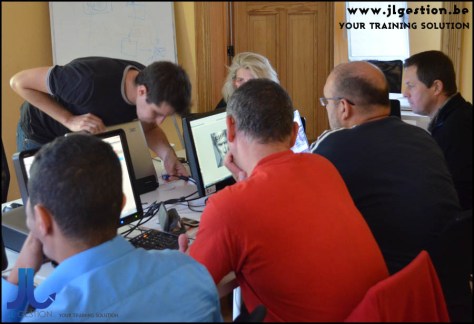
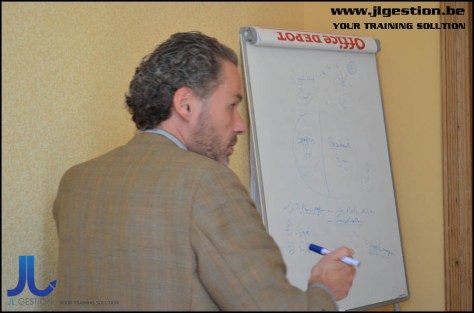
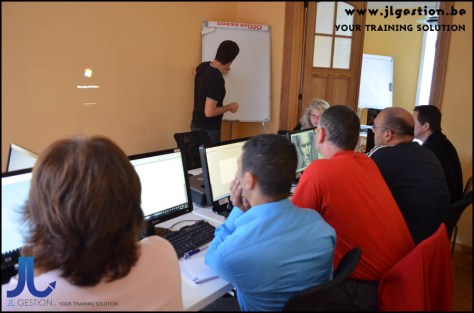
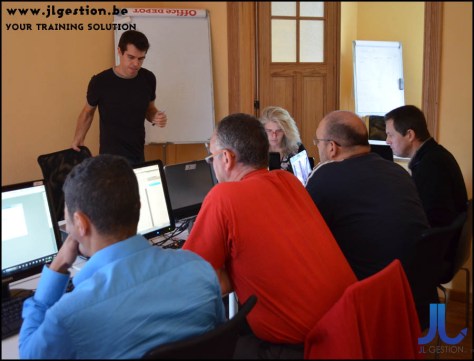

 Training-brussels - business training center in Brussels