
Class overview :
This course enables storage administrators to better plan and manage their storage systems to support a VMware vSphere™ environment. The course uses lecture, hands-on labs, and case studies to demonstrate vSphere interaction and operation with storage rather than to teach vSphere administration skills.
Class goals :
By the end of the course, you should understand storage functionality in vSphere and be able to:
- Explain basic concepts related to virtual computing, including vSphere server and storage virtualization
- Be a cooperative partner with vSphere administrators to design, configure, manage, and troubleshoot storage in a vSphere environment
- Describe the trade-offs between storage design decisions
- Plan a storage architecture that scales to the demands of a virtualized environment
- Use the VMware vSphere Client, esxtop, resxtop, and vscsiStats to monitor storage configuration end to end from a virtual machine disk to a specific VMware® vStorage VMFS datastore
Content of VMware vSphere: Skills for Storage Administrators
Introduction to VMware Virtualization
- Hypervisors (the VMkernel) and virtual machines
- Benefits of server virtualization
- Shared storage and the VMware features that depend on it
- Supported storage configurations
- Storage maximums
- Introduce VMware storage virtualization stack
- Course objectives
VMware Storage Virtualization
- Describe and create a VMFS datastore
- Using extents and Volume Grow to enlarge a VMFS volume
- Introduce strategies for avoiding SCSI reservation conflicts
- Describe the importance of VMFS alignment
- Describe trade-offs between VMFS and RDM
- Options for creating virtual machine disks and the trade-offs of each option
- VMware vStorage Thin Provisioning and its effect on storage
- Explore the effects of using Thin Provisioning with storage array thin provisioning
VMware Storage Virtualization
- Describe and create a VMFS datastore
- Using extents and Volume Grow to enlarge a VMFS volume
- Introduce strategies for avoiding SCSI reservation conflicts
- Describe the importance of VMFS alignment
- Describe trade-offs between VMFS and RDM
- Options for creating virtual machine disks and the trade-offs of each option
- VMware vStorage Thin Provisioning and its effect on storage
- Explore the effects of using Thin Provisioning with storage array thin provisioning
Storage Performance and Troubleshooting
- Storage configuration and its effect on performance
- vSphere utilities to monitor storage latency, capacity, and consumption
- Troubleshooting storage performance problems
SAN Design Considerations
- Storage device names in vSphere
- Importance of configuring consistent host LUN ID numbering
- Calculating I/O operations per second (IOPS) and megabytes per second (MBps) to properly configure LUNs
- Using esxtop or resxtop to determine IOPS and MBps
- Discuss storage network topologies, zoning, and access control in Fibre Channel, iSCSI, and NAS
- Strategies for virtual disk placement
- Interswitch linking and trunking considerations
- Using esxcli to mask LUNs
- Implementing flow control and jumbo frames in IP storage configurations
- Configuring VMware vStorage adaptive queueing
- Manual configuration of storage queues
- Discuss VMware ESX™/ESXi boot from SAN
Multipathing Configuration and Management
- Fibre Channel, iSCSI, and NAS multipathing
- Managing multipathing algorithms available in vSphere
- Integrating virtual port and target port group support, and asymmetric logical unit access arrays into a vSphere environment
- Configuring active-active and active-passive arrays with vSphere
VMware vStorage VMFS and Virtual Machine Snapshots
- LUN replication in a vSphere environment
- Identifying a snapshot LUN in vSphere
- Controlling how the VMkernel handles replicated LUNs
- Using replicated LUNs for backup and disaster recovery
- Introduce VMware APIs for Data Protection
- Describe the impact of virtual machine snapshot use on storage architecture
VMware vStorage APIs for Array Integration
- Describe hardware-accelerated locking
- Describe hardware-accelerated zeroing
- Describe hardware-accelerated copy
- Enable and disable hardware acceleration
- Introduce new performance metrics added to esxtop and resxtop
Onze voordelen :
- Type of training: Inter-company, intra-company and individual
- 100% flexible & personalised training : You choose the place, the dates and the training program
- Offer request : Response within 24 hours
- 50% discount for SME’s from Brussels-Capital Region
- Free parking, lunch & drinks
- Free use of our Digital Competence Centre: Manuals, courses, exercises, …
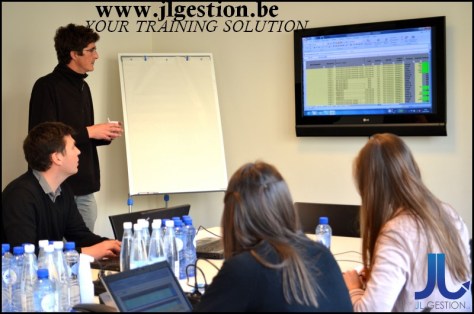
 Training-brussels - business training center in Brussels