Category Archives: All trainings in Brussels

Training Introduction to PCs Series: Troubleshooting and tips – 1 day

Class overview :

This course provides users with information on how to protect data on their computer and overcome potential problems in addition to offering tips on how to maximize the efficiency of their PC.

Class goals :

  • Back up files
  • Use System Restore and Safe Mode
  • Handle viruses and other issues
  • Troubleshoot common problems
  • Identify common mistakes and helpful tips

Content of Introduction to PCs Series: Troubleshooting and Tips

  • Using the Emergency Boot Disk
  • Backing Up Your Files
  • Dealing with Viruses
  • Using System Restore
  • Checking Your PC for Trouble
  • Using Safe Mode
  • Checking for Device Conflicts
  • Restoring a Device Driver
  • Troubleshooting Startup Problems
  • Identifying Sources for Help
  • Identifying Ten Common Mistakes
  • Identifying Ten Smart Purchases
  • Top Ten Tips from a Guru
Introduction to PCs Series
Training Introduction to PCs Series

Onze voordelen :

  • Type of training: Inter-company, intra-company and individual
  • 100% flexible & personalised training : You choose the place, the dates and the training program
  • Offer request : Response within 24 hours
  • 50% discount for SME’s from Brussels-Capital Region
  • Free parking, lunch & drinks
  • Free use of our Digital Competence Centre: Manuals, courses, exercises, …

Training Introduction to PCs Series: Internet and E-mail Tips – 1 day

Class overview :

This course provides users with detailed information on how to best use the Internet, Web browsers, and e-mail.

Class goals :

  • Use Internet search engines
  • Set bookmarks on Web pages
  • Personalize e-mail messages
  • Use the Outlook Express Address Book
  • Download programs and music from the Internet
  • Send and receive e-mail attachments

Content of Introduction to PCs Series: Internet and E-mail Tips

  • Searching the Web
  • Shopping online
  • Using bookmarks and history
  • Other tips for using the Internet
  • Personalizing your e-mail
  • Managing your e-mail
  • Using your address book
  • Other tips for using e-mail
  • Saving a Web page
  • Downloading programs and music
  • Working with e-mail attachments
  • Using FTP
Introduction to PCs Series
Training Introduction to PCs Series

Onze voordelen :

  • Type of training: Inter-company, intra-company and individual
  • 100% flexible & personalised training : You choose the place, the dates and the training program
  • Offer request : Response within 24 hours
  • 50% discount for SME’s from Brussels-Capital Region
  • Free parking, lunch & drinks
  • Free use of our Digital Competence Centre: Manuals, courses, exercises, …
Training Introduction to PCs Series: Introducing the Internet – 1 day

Class overview :

This course introduces users to the Internet and explains how to use a Web browser and e-mail.

Class goals :

  • Configure Windows for the Internet
  • Connect to the Internet
  • Disconnect from the Internet
  • Use a Web browser
  • Send and read e-mail

Content of Introduction to PCs Series: Introducing the Internet

  • Getting on the Internet
  • Configuring Windows for the Internet
  • Connecting to the Internet
  • Using Internet software
  • Using a Web browser
  • Visiting Web sites
  • Starting Outlook Express
  • Sending e-mail
  • Reading e-mail
Introduction to PCs Series
Training Introduction to PCs Series

Onze voordelen :

  • Type of training: Inter-company, intra-company and individual
  • 100% flexible & personalised training : You choose the place, the dates and the training program
  • Offer request : Response within 24 hours
  • 50% discount for SME’s from Brussels-Capital Region
  • Free parking, lunch & drinks
  • Free use of our Digital Competence Centre: Manuals, courses, exercises, …
Training Introduction to PCs Series: Understanding software – 1 day

Class overview :

This course introduces users to typical software available for PCs and how to install and update the software.

Class goals :

  • Install software
  • Uninstall software
  • Update software
  • Describe common types of software

Content of Introduction to PCs Series: Understanding Software

  • Buying software for your PC
  • Installing software
  • Uninstalling software
  • Updating software
  • Software for the some
  • Entertainment software
  • Business software
  • Other software
Introduction to PCs Series
Training Introduction to PCs Series

Onze voordelen :

  • Type of training: Inter-company, intra-company and individual
  • 100% flexible & personalised training : You choose the place, the dates and the training program
  • Offer request : Response within 24 hours
  • 50% discount for SME’s from Brussels-Capital Region
  • Free parking, lunch & drinks
  • Free use of our Digital Competence Centre: Manuals, courses, exercises, …
Training PowerPoint 2010 Series: Completing the presentation – 1 day

High-quality-training-results-in-corfu-town
High quality training in Corfu Town

Class Overview :

This course provides learners with the necessary tools to set up and present a PowerPoint presentation.

Class Goals :

  • Create and print speaker notes
  • Print your presentation
  • Set up and run a slide show
  • Create a custom slide show
  • Package a presentation onto a CD
  • Search for help

Content Of PowerPoint 2003 Series: Completing The Presentation

  • Understanding notes
  • Using notes pages
  • Printing a presentation
  • Setting up a slide show
  • Controlling a slide show
  • Creating custom shows
  • Packaging a presentation on a CD
  • Using Office Assistant

Onze Voordelen :

  • Type of training: Inter-company, intra-company and individual
  • 100% flexible & personalised training : You choose the place, the dates and the training program
  • Offer request : Response within 24 hours
  • 50% discount for SME’s from Brussels-Capital Region
  • Free parking, lunch & drinks
  • Free use of our Digital Competence Centre: Manuals, courses, exercises, …
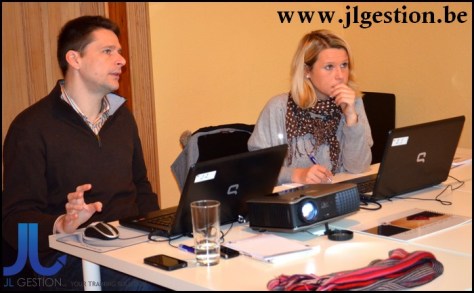
Training PowerPoint 2010 Series: Introduction to PowerPoint – 1 day

Class overview :

This course provides an overview of the use of PowerPoint 2010 and shows how to get started using the program.

Class goals :

  • Start and navigate the PowerPoint interface
  • Create and open a presentation
  • Review and edit a presentation
  • Display and print a presentation
  • Save and close a presentation
  • Outline a presentation
Powerpoint 2010
Essential training Powerpoint 2010

Content of PowerPoint 2010 Series: Introduction to PowerPoint

  • Introducing presentations
  • Navigating the interface
  • Creating a new presentation
  • Using the AutoContent Wizard
  • Editing text
  • Manipulating slides
  • Displaying, printing and saving a presentation
  • Working with objects
  • Working with text
  • Working with slides
  • Using the Outline toolbar
  • Working with the outline
  • Checking spelling and the thesaurus
  • Using the Style Checker and the AutoCorrect options
  • Using Smart Tags

Onze voordelen :

  • Type of training: Inter-company, intra-company and individual
  • 100% flexible & personalised training : You choose the place, the dates and the training program
  • Offer request : Response within 24 hours
  • 50% discount for  SME’s from Brussels-Capital Region
  • Free parking, lunch & drinks
  • Free use of our Digital Competence Centre: Manuals, courses, exercises, …

Coaching & Practice: PowerPoint 2010 Series: Custom slides – 1 day

Class overview :

This course shows users how to add custom features and formatting to slides. These special formatting features include bullets, slide transitions, and animation. Producing speaker notes, audience handouts, and transparencies are also covered.
Tailor-made computer training Greece Corfu

Class goals :

  • Add AutoNumber and graphical bullets
  • Add slide transitions
  • Animate text and objects
  • Preview a presentation in black and white
  • Print slides and audience handouts
  • Add and print speaker notes

Content of PowerPoint 2010 MOS Series: Custom Slides

  • Adding AutoNumber and Graphical Bullets
  • Slide Transitions and Animation
  • Previewing and Printing Slides
  • Speaker Notes and Transparencies

Onze voordelen :

  • Type of training: Inter-company, intra-company and individual
  • 100% flexible & personalised training : You choose the place, the dates and the training program
  • Offer request : Response within 24 hours
  • 50% discount for  SME’s from Brussels-Capital Region
  • Free parking, lunch & drinks
  • Free use of our Digital Competence Centre: Manuals, courses, exercises, …

Training PowerPoint 2010 Series: Graphics and tables – 1 day

Class overview :

This course shows users how to work with graphics, objects, and drawing shapes. Special features of PowerPoint 2010, including grouping shapes, scaling and sizing objects, applying shadows, and WordArt are covered.

Class goals :

  • Add clip art, pictures, shapes, and WordArt
  • Rotate, fill, scale, and size an object
  • Apply formatting
  • Place text inside a shape using a text box
  • Create tables within PowerPoint
Powerpoint 2010
Basic training Powerpoint 2010 – Graphics and Tables

Content of PowerPoint 2010 Series: Graphics and Tables

  • Using Objects
  • Rotating, Filling, and Sizing an Object
  • Formatting Objects and Adding a Text Box
  • Creating Diagrams and Tables

Onze voordelen :

  • Type of training: Inter-company, intra-company and individual
  • 100% flexible & personalised training : You choose the place, the dates and the training program
  • Offer request : Response within 24 hours
  • 50% discount for  SME’s from Brussels-Capital Region
  • Free parking, lunch & drinks
  • Free use of our Digital Competence Centre: Manuals, courses, exercises, …

Training PowerPoint 2010 Series: Layout and text – 2 days

Class overview :

This course shows users how to make layout changes and to work with text. Important features, such as Spell Check, Format Painter, and Text Wrap are included.

Class goals :

  • Change the layout for one or more slides
  • Use the Format Painter
  • Change and replace text fonts
  • Create a text box for entering text
  • Promote and demote text in Slide and Outline panes
  • Import text from Word

Content of PowerPoint 2010 Series: Layout and Text

  • Changing the Layout
  • Spell Check and Replace Text
  • Text Alignment and Format Painter
  • Outline Panes and Text Boxes
  • Using the Clipboard and Importing Text
Powerpoint 2010
Training Powerpoint 2010

Onze voordelen :

  • Type of training: Inter-company, intra-company and individual
  • 100% flexible & personalised training : You choose the place, the dates and the training program
  • Offer request : Response within 24 hours
  • 50% discount for SME’s from Brussels-Capital Region
  • Free parking, lunch & drinks
  • Free use of our Digital Competence Centre: Manuals, courses, exercises, …

Training PowerPoint 2010 Series: Presentations – 2 days

Class overview :

This course shows users how to create original presentations. It demonstrates the different views for slide production and shows how to create master slides using repeating elements.

Class goals :

  • Navigate all of the PowerPoint views
  • Create a presentation from a template, wizard, or existing slides
  • Copy and delete slides
  • Modify the slide master and slide sequence
  • Insert headers and footers
Powerpoint 2010
Powerpoint 2010 course – Presentation

Content of PowerPoint 2010 Series: Presentations

  • Normal and Outline Views
  • Slide Views and Notes Page
  • Wizards and Templates
  • Creating and Deleting Slides
  • Using and Copying Slides
  • Modifying a Presentation
  • Masters, Headers, and Footers

Onze voordelen :

  • Type of training: Inter-company, intra-company and individual
  • 100% flexible & personalised training : You choose the place, the dates and the training program
  • Offer request : Response within 24 hours
  • 50% discount for  SME’s from Brussels-Capital Region
  • Free parking, lunch & drinks
  • Free use of our Digital Competence Centre: Manuals, courses, exercises, …