Class overview :
This course explains how to use Microsoft Internet Explorer 6 to retrieve materials from the World Wide Web and send e-mail.
Class goals :
- Save text, images, and files from the Internet
- Send and receive electronic mail with Internet Explorer 6′s Outlook Express
Content of Internet Explorer 6 Series: Using Files and Mail
- Printing a Web Page
- Saving Text
- Getting Images
- Downloads and Plug-Ins
- Buying on the Internet
- Getting in Touch
- Outlook Express
- Sending and Receiving E-Mail
- Using Active Channels
- New Features of Internet Explorer 6
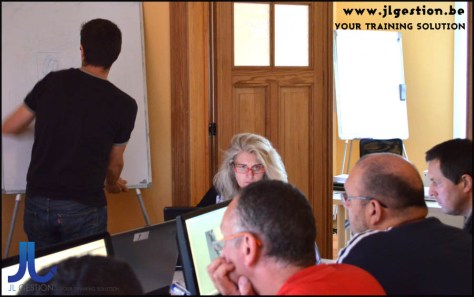 Training Internet Explorer 6 Series
Onze voordelen :
- Type of training: Inter-company, intra-company and individual
- 100% flexible & personalised training : You choose the place, the dates and the training program
- Offer request : Response within 24 hours
- 50% discount for SME’s from Brussels-Capital Region
- Free parking, lunch & drinks
- Free use of our Digital Competence Centre: Manuals, courses, exercises, …
Class overview :
This course explains how to set up and use Microsoft Internet Explorer 6 to browse the World Wide Web.
Class goals :
- Set up Internet Explorer 6
- Use the online Help facility
- Browse the World Wide Web (WWW)
- Find Web sites with the Search Assistant
- Return to sites using AutoComplete and Favorites
- Use AutoComplete in forms
Content of Internet Explorer 6 Series: Browsing the Web
- Web Basics
- Connecting to the Internet
- Using Hyperlinks
- Using URLs
- Using Search Providers
- Using Search Assistant
- Navigating Back and Forth
- Optimizing Navigation
- Using Favorites
- Viewing Pages Offline
- When Things Go Wrong
- Using AutoComplete
- Getting Help
 Training Internet Explorer 6 Series
Onze voordelen :
- Type of training: Inter-company, intra-company and individual
- 100% flexible & personalised training : You choose the place, the dates and the training program
- Offer request : Response within 24 hours
- 50% discount for SME’s from Brussels-Capital Region
- Free parking, lunch & drinks
- Free use of our Digital Competence Centre: Manuals, courses, exercises, …
Class overview :
This course introduces the new features and enhancements of Internet Explorer 8.
Class goals :
- Manage your browsing windows using the new tabbing features
- Search for Web sites using the address and search bars
- Access mapping, search, translation, and other services instantly through the Accelerators feature
- Track changes in your favorite sites using Web Slices
Content of Internet Explorer 8 Series: Learning the New Interface and Features
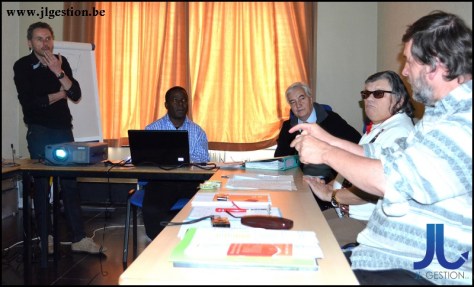 Training Internet Explorer 8 Series
Onze voordelen :
- Type of training: Inter-company, intra-company and individual
- 100% flexible & personalised training : You choose the place, the dates and the training program
- Offer request : Response within 24 hours
- 50% discount for SME’s from Brussels-Capital Region
- Free parking, lunch & drinks
- Free use of our Digital Competence Centre: Manuals, courses, exercises, …
Tailor training for business company. Our trainers are active throughout Belgium

 Training-brussels - business training center in Brussels