Tag Archives: PC

Training Adobe Illustrator Super Advanced – 3 days

Class overview :

This training course is our most advanced Illustrator class and is not for the faint hearted!

Take your Illustrator skills to the MAX and also be prepared for and take the Adobe Certified Expert (ACE) exams in Illustrator which is the highest level of recognition.

Class goals :

What you will learn:

  • Best practices
  • Advanced Illustrator techniques
  • Graphic design, Web design and Digital art concepts
  • Preparing an identity design and present it to a client
  • Prepared for the Adobe Certified Expert (ACE) exams in Illustrator

Content of Adobe Illustrator Super Advanced

Working with Artboards

Creating templates

Drawing and transforming objects

Pen tool best practices

Brush types and the Blob brush tool

The Width tool and options with Strokes

Working in Isolation mode

Opacity and Clipping masks

Live paint

Recolour Artwork

Gradients

Tracing photographs and pixel images

Advanced type features

Working with Live effects and the Appearance panel

Graphic styles

Working with Symbols

Shape builder tool

Drawing in perspective

Preparing for Web and Flash

Preparing for print

Adobe Certified Expert Preparation

  • What to expect on exam day and how to book an exam
  • Example questions
  • Practice Exam
  • Results
  • What next?
Adobe Illustrator Super Advanced
Training Adobe Illustrator Super Advanced

Onze voordelen :

  • Type of training: Inter-company, intra-company and individual
  • 100% flexible & personalised training : You choose the place, the dates and the training program
  • Offer request : Response within 24 hours
  • 50% discount for SME’s from Brussels-Capital Region
  • Free parking, lunch & drinks
  • Free use of our Digital Competence Centre: Manuals, courses, exercises, …
Training Creating Rich Digital Publications with InDesign CS5.5 – 1 day

Class overview :

Creating Rich Digital Publications with InDesign CS5.5′ is a one day course aimed at existing InDesign users. The course is designed to teach you how to produce dynamic electronic publications (not ePubs) using the new features offered by InDesign CS5.5 and the Digital Publishing Suite.

Class goals :

Content of Creating Rich Digital Publications with InDesign CS5.5

Course Intro

  • What software do you need to produce Digital publications
  • Designing your InDesign document for Digital publication
  • Converting InDesign files for digital publishing
  • Portrait and Landscape views

iPad layout and templates

Creating your documents

  • Creating layouts
  • Organising your folder structure

Creating folios

  • Using the Folio Builder panel
  • Adding articles

Adding interactivity with the Overlay Creator panel

Slideshows

  • Image sequences

Document Elements

  • Adding audio
  • Adding video
  • Hyperlinks
  • Panoramas
  • Web views
  • Scrollable frames
  • HTML Stacks
  • Pan and Zoom

Assembling your output and publishing

  • Testing your folio (using Acrobat.com)
  • Adobe Content Viewer on the iPad
Creating Rich Digital Publications with InDesign CS5.5
Training Creating Rich Digital Publications with InDesign CS5.5

Onze voordelen :

  • Type of training: Inter-company, intra-company and individual
  • 100% flexible & personalised training : You choose the place, the dates and the training program
  • Offer request : Response within 24 hours
  • 50% discount for SME’s from Brussels-Capital Region
  • Free parking, lunch & drinks
  • Free use of our Digital Competence Centre: Manuals, courses, exercises, …

Training Adobe Photoshop CS5 Advanced Techniques – 2 days

Class overview :

Are you working in digital imaging, professional photography, graphic design, publishing or another role that involves day to day use of Photoshop? If so then this course will make your life easier and you’ll see an immediate performance improvement thanks to the new skills you learn by attending.

Class goals :

This Advanced Photoshop training course lets you build on your existing skills and explore some of the more advanced techniques available when working with this increasingly powerful software package.

Content of Adobe Photoshop CS5 Advanced Techniques

Intro to the Advanced Photoshop training course

Adobe Bridge & Mini Bridge

Actions

Advanced masking

Advanced cloning & Content Aware Fill

Advanced Levels and Curves

Advanced Compositing – Stacks

Colour adjustment

Sharpening

Advanced layers

Smart Objects, Smart filters & Smart Layers

Vanishing Point

Advanced filter techniques

Painting Effects

Warping techniques – Puppet Warp

Camera Raw

Photoshop Animation

Photoshop Video

Photoshop and Devices

Adobe Repoussé

HDR Pro

Adobe Photoshop CS5 Advanced Techniques
Training Adobe Photoshop CS5 Advanced Techniques

Onze voordelen :

  • Type of training: Inter-company, intra-company and individual
  • 100% flexible & personalised training : You choose the place, the dates and the training program
  • Offer request : Response within 24 hours
  • 50% discount for SME’s from Brussels-Capital Region
  • Free parking, lunch & drinks
  • Free use of our Digital Competence Centre: Manuals, courses, exercises, …

Training Final Cut Pro X Advanced – 3 days

Class overview :

Final Cut Pro X is a revolutionary video editing application that makes it possible for beginners and seasoned professionals to achieve stunning results. This three-day, hands-on course teaches hard-to-find advanced editing and finishing techniques. Learn how to create fantastic effects using filters creatively, color correct like a pro, and create complex audio mixes.

Class goals :

After completing this course, students will have learnt about:

  • Working with Compound Clips and auditions
  • Organizing projects with advanced Metadata techniques
  • Targeting specific areas to color correct with shape and color masks
  • Finetuning clips in the timeline with the Precision Editor
  • Working with Compressor
  • Creating custom effects and transitions
  • Finishing and final output

Content of Final Cut Pro X Advanced

Overview of Editing Basics

  • Review of Basic Editing Techniques
  • 3-point Editing Rule and Track Targeting

Advanced Editing Techniques

  • Smart Clip Loading
  • Using Match Frame
  • Using Replace Edit and Ganging Playheads

Trimming Basics

  • Basic Rolling
  • Extend Edit
  • and Splitting Edits

Advanced Trimming

  • Trimming from the Keyboard
  • Trim Edit Window
  • Dynamic Trimming
  • Multi-track Trimming and Asymmetrical Trimming

Audio Editing

  • Adjusting Levels on the Fly
  • Adjust Levels Dialog
  • Applying Normalization Gain
  • Using Audio Filters- sending to Soundtrack Pro and Using the Audio Mixer Window

Multicam Editing

  • Basic Multicamera Edits
  • Working with Multiple Angles
  • Editing Audio and Video Separately
  • Collapsing and Un-collapsing Multiclips
  • Match-framing Multiclips
  • Applying Effects to Multiclips and Multiclips and External Video

Compositing in Final Cut Pro

  • Basic Compositing Review
  • Creating Travel Mattes
  • Adding Graphics from a Layered Photoshop File
  • Keyframing Basics and Keyframing in the timeline

Mastering Filters

  • Customizing Filters
  • Understanding Filter Order
  • Filter Timing
  • Limiting Filter Effects
  • Creating Favoirte Filters
  • Hiding and showing Filter Controls and Working with Smoothcam

Nesting Sequences

  • Understanding Nested Sequences
  • Using Basic Nesting
  • Nesting in Place
  • Working Around Render Order
  • Mixing Sequence Sizes
  • Nesting as an Editing Tool
  • Nesting Master Filters and Unnesting

Preparing for Finishing

  • Nesting Sequences
  • Unnesting Sequences
  • Adding Widescreen mattes
  • Adding BITC
  • Managing Audio Outputs
  • Using the Media Manager and Exporting EDLs and XML Files

Troubleshooting Tips

  • Fixing Screen Direction Errors
  • Stealing Audio from Another Shot and Removing a Boom

Outputting

  • Sharing to Apple Devices
  • Sharing to DVD and BluRay
  • Sharing for the Web
  • Using Compressor
  • Outputting Audio
  • Exporting Still Frames and Exporting QuickTime Movies
Final Cut Pro X Advanced
Training Final Cut Pro X Advanced

Onze voordelen :

  • Type of training: Inter-company, intra-company and individual
  • 100% flexible & personalised training : You choose the place, the dates and the training program
  • Offer request : Response within 24 hours
  • 50% discount for SME’s from Brussels-Capital Region
  • Free parking, lunch & drinks
  • Free use of our Digital Competence Centre: Manuals, courses, exercises, …

Training An Introduction to Final Cut Pro X – 3 days

Class overview :

This Apple Final Cut Pro (FCP 101) training course is a three-day, hands-on course that teaches students to perform basic editing functions while becoming familiar with the Final Cut Pro user interface. In this course, you will cut a scene from the TNT television series Leverage, create a promo for Seaworld’s ‘Believe documentary’, as well as master filters and effects as you edit a segment of Playing for Change, the international music-creation event.

Class goals :

After completing this course, students will be able to:

  • Mark clips, using insert, overwrite and drag-and-drop editing
  • Trim edit points
  • Use Ripple, Roll, and Extend edits as well as the Slip and Slide tools
  • Apply filters and changing Motion properties
  • Edit audio and audio creation
  • Finish and final output

Content of An Introduction to Final Cut Pro X

Preparing to Edit in Final Cut Pro X

  • Exploring the Interface
  • Importing Footage
  • Organising Clips in an Event
  • Organising Optimising & Analysing
  • Organising Media with Keywords
  • Working in the Project Library
  • Working in the Event Library

Creating a Rough Cut

  • Building the Rough Cut
  • Performing Insert Overwrite & Connect Edits
  • Adding to the Storyline

Fine-Tuning a Rough Cut

  • Using the Trimming Tools
  • Replacing Clips & 3 Point Editing
  • Auditioning Clips
  • Adjusting Clip Timing
  • Creating Secondary Storylines & Compound Clips

Completing the Cut

  • Editing the Soundtrack
  • Applying & Modifying Transitions
  • Creating Hold Frames & Re-timing Video
  • Controlling Video Quality
  • Working with Music
  • Enhancing the Soundtrack
  • Adding simple titles

Applying Effects & Finishing

  • Adding Effects
  • Matching & Correcting Colour
  • Secondary Colour Correction
  • Working with Themes & Placeholders
  • Applying & Animating Titles
  • Transforming, Cropping & Distorting Images
  • Working with Generators & Backgrounds
  • Exporting and Sharing a Project
  • Publishing for web and devices
An Introduction to Final Cut Pro X
Training An Introduction to Final Cut Pro X

Onze voordelen :

  • Type of training: Inter-company, intra-company and individual
  • 100% flexible & personalised training : You choose the place, the dates and the training program
  • Offer request : Response within 24 hours
  • 50% discount for SME’s from Brussels-Capital Region
  • Free parking, lunch & drinks
  • Free use of our Digital Competence Centre: Manuals, courses, exercises, …

Training Ajax – 3 days

Class overview :

This is a server-side agnostic Ajax training class. Examples in the provided course manual are in JSP, and there are equivalent examples in the class files in PHP, ColdFusion, and Classic ASP. The focus is on the client-side aspects of Ajax (i.e., JavaScript), so, while it’s helpful to understand the server side, it’s not required or assumed.

Class goals :

Learn how Ajax and the XMLHttpRequest object work.
Learn to write cross-browser Ajax code.
Learn to use Ajax to make a call to the server without a page refresh.
Learn to modify content blocks on a page without refreshing the whole page.
Learn to use server-side form validation with Ajax.
Learn to pull down content from the server to dynamically display more content.
Learn to manipulate XML documents with JavaScript using the DOM.
Learn to manipulate XML documents with JavaScript using XSLT.
Learn to work with various JavaScript/Ajax libraries, such as Prototype, Dojo, and Scriptaculous.

Content of Training Ajax

Class Outline

  1. Ajax Basics
    1. The Purpose of Ajax
      1. Traditional Web Application
      2. An Ajax Web Application
    2. The XMLHttpRequest Object
      1. Using an XMLHttpRequest Object
      2. Handling the Response
    3. The Callback Function
  2. Passing Data
    1. XML
      1. Creating an addChild() Function
    2. Dynamic Tables
    3. JSON
    4. Review of Object Literals
      1. Arrays
      2. Objects
      3. Arrays in Objects
      4. Objects in Arrays
    5. Back to JSON
      1. JSON Syntax
      2. JSON Parsers
    6. JSON Advantages and Disadvantages
  3. Ajax Applications
    1. Login Form
    2. Quick Lookup Form
    3. Preloaded Data
      1. Ajax Slideshow
      2. Navigable Tables
  4. XSLT Transformations with JavaScript
    1. XSLT
      1. Basic XSLT
    2. XSLT in the Browser
      1. The Mozilla Method
      2. The IE Method
    3. Advantages and Disadvantages of XSLT in Ajax Applications
  5. Ajax/JavaScript Frameworks
    1. The Purpose of Frameworks
      1. Choosing a Framework
    2. Dojo
      1. Downloading Dojo
      2. Using Dojo for Ajax
    3. Prototype
      1. Downloading Prototype
      2. Using Prototype for Ajax
    4. Other Popular Frameworks
      1. Other Frameworks
  6. More Ajax Applications
    1. Inline Editing
      1. The contenteditable Attribute
    2. Detailed Information on Demand
    3. Autologout
    4. Autocompletion
Ajax
Training Ajax

Onze voordelen :

  • Type of training: Inter-company, intra-company and individual
  • 100% flexible & personalised training : You choose the place, the dates and the training program
  • Offer request : Response within 24 hours
  • 50% discount for SME’s from Brussels-Capital Region
  • Free parking, lunch & drinks
  • Free use of our Digital Competence Centre: Manuals, courses, exercises, …

Training Database with Visual Studio 2010 – 3 days

Class overview :

This three-day, instructor-led course provides students with the knowledge and skills to properly manage the SQL Server 2005/2008 database development lifecycle in an Agile environment. The student will learn how to manage changes to the database schema, ensuring quality through T-SQL unit testing, and how to automate the building and deploying of SQL Server databases.

Class goals :

Understand the database development capabilities of Visual Studio 2010
Understand the areas of integration with Team Foundation Server
Understand how the tools support an Agile database development lifecycle
Create and configure database projects and server projects
Compare schemas and data for differences from two SQL Server instances
Generate scripts to reconcile differences in schemas and data
Understand and create effective T-SQL unit tests
Understand and use database refactoring correctly
Use MSBuild and Team Build to manage build and deployment
Extend Visual Studio by creating your own database refactoring method, test data generator, unit test condition, and static code analysis rule

Content of Training Database with Visual Studio 2010

Class Outline

  1. Agile Database Development
    1. Agile database development
    2. Agile database techniques
    3. Visual Studio 2010 Premium Edition
    4. Case study
    5. Resources
    6. Lab Exercises
      1. Meet the AdventureWorks team
      2. Review the environment
      3. Deploy the database
  2. Database Projects
    1. Architecture of a database project
    2. Creating and managing database projects
    3. Visual Studio 2010 integration
    4. Importing database schema
    5. Importing SQL scripts
    6. Permissions
    7. Lab Exercises
      1. Explore Visual Studio integration
      2. Create a new database project
      3. Modify the database project
      4. Import a database schema
      5. Import a SQL script
  3. Change Management
    1. Introduction to Team Foundation Server
    2. Working with Team Projects
    3. Process templates and work items
    4. Using Team Foundation Version Control
    5. Placing database projects under version control
    6. Detecting and reconciling database schema differences
    7. Detecting and reconciling table data differences
    8. Lab Exercises
      1. Create a Team Project and work items
      2. Configure Team Foundation Version Control
      3. Place a database project under version control
      4. Explore and Visual Studio 2010 version control features
      5. Compare schemas for differences from two SQL Server instances
      6. Compare data for differences from two SQL Server tables
      7. Generate scripts to reconcile differences in schemas and data
      8. Explore the MSSCCI provider from SQL Server Management Studio (optional)
  4. Unit Testing
    1. Reasons to unit test your database code
    2. How to create database unit tests manually
    3. How to create database unit tests automatically
    4. Assertions vs. conditions
    5. Executing unit tests
    6. Managing and publishing test results
    7. Static code analysis
    8. Lab Exercises
      1. Create and execute database unit tests
      2. Use pre-test and post-test actions
      3. Use an ordered list to run tests
      4. Export and import test results
      5. Create unit tests automatically from the Schema View window
      6. Run static code analysis
  5. Refactoring
    1. Introduction to refactoring
    2. Refactoring support in Visual Studio 2010
    3. Database refactoring methods
    4. Rename refactoring methods
    5. Move refactoring method
    6. Fully-qualify refactoring method
    7. Expand-wildcard refactoring method
    8. Resources
    9. Lab Exercises
      1. Approaches to renaming database objects
      2. Use the rename refactor method
      3. Preview changes
      4. Undo refactoring using global undo
      5. Review the refactoring log
  6. Data Generation
    1. Issues with test data and some potential solutions
    2. Data generation plans
    3. Data generators
    4. Regular expression generator
    5. Data bound generator
    6. Creating and running a data generation plan
    7. Automatically generating data prior to running unit tests
    8. Lab Exercises
      1. Create a data generation plan
      2. Use the Regular Expression data generator
      3. Use the Data Bound generator
      4. Configure generation for related table and set ratios
      5. Generate data automatically prior to running unit tests
  7. Build and Deploy
    1. The need for automated build and deployment
    2. Building database projects
    3. Deploying schema changes
    4. The VSDBCMD.exe command line utility
    5. Integration with MSBuild
    6. Integration with Team Foundation Build
    7. Lab Exercises
      1. Build the database project
      2. Deploy database schema changes
      3. Use custom deployment scripts
      4. Automate using MSBuild and Team Foundation Build
  8. Extensibility
    1. Visual Studio 2010 Areas of extensibility
    2. Visual Studio database project and item templates
    3. Custom database refactoring methods
    4. Custom static code analysis rules
    5. Custom test data generators
    6. Custom unit test conditions
    7. Custom check-in policies
    8. Lab Exercises
      1. Customize database object templates
      2. Create a custom data generator
      3. Create a custom unit test condition
      4. Create a custom code analysis rule (optional)
      5. Create a custom refactoring method (optional)
      6. Create and debug a custom check-in policy (optional)
Database with Visual Studio 2010
Training Database with Visual Studio 2010

Onze voordelen :

  • Type of training: Inter-company, intra-company and individual
  • 100% flexible & personalised training : You choose the place, the dates and the training program
  • Offer request : Response within 24 hours
  • 50% discount for SME’s from Brussels-Capital Region
  • Free parking, lunch & drinks
  • Free use of our Digital Competence Centre: Manuals, courses, exercises, …
Training Java EE Web Application Development with Enterprise JavaBeans and Web Services – 5 days

Class overview :

This training course provides participants with the knowledge and experience required to develop and deploy Enterprise JavaBeans, Web Services and robust Java EE (Java Enterprise Edition) web applications.

Class goals :

The focus of the course is on building components that are deployed to the EJB Container and building web-enabled applications that employ Servlets, JavaServer Pages and Tag Libraries to exploit the services provided by the Java EE platform. This course covers architectural design issues as well as specific coding models for Java EE components, and is up to date with the latest Java EE 5, EJB 3, JAX-WS 2.1, JSP 2.1 and Servlet 2.5 specifications. Security, transaction management, inter-component communication and deployment issues are discussed in detail, with hands-on labs to solidify understanding.

Since coding and deployment files are standardized by the Java EE specifications, students may readily apply the skills learned in this class to write code for any compliant server, including Apache Tomcat, JBoss, WebSphere, Oracle, WebLogic and many others. Students will understand the role and architecture of the most important containers in the Java EE specification: the Web Container (which hosts HTML pages, Servlets and JSP Pages) and the EJB Container (which hosts Enterprise JavaBean components). Participants will learn how to use important Java EE services and protocols including JNDI, JDBC and JMS. Students will learn how to utilize ANT, a flexible and powerful XML-based build utility, to compile, deploy and execute stand-alone and enterprise Java applications. Comprehensive hands-on lab exercises reinforce instructor lectures and build direct competence in the topics presented throughout the course.

Content of Java EE Web Application Development with Enterprise JavaBeans and Web Services

  • Introduction to the Java EE Architecture
  • Using ANT
  • Servlet Classes and Interfaces
  • Request and Response Objects
  • Writing a Servlet
  • Web Application Structure
  • Introduction to Java Server Pages
  • Deploying a JSP
  • JavaBeans in a JSP
  • JSP Document Syntax
  • Communication Between Web Components
  • Java EE Session Support
  • Creating Cookies
  • Writing Custom Tag Libraries
  • JSP Expression Language
  • Developing Secure Web Applications
  • Java EE Authorization
  • Serializing with Object Streams
  • JNDI Architecture
  • Java DataBase Connectivity (JDBC)
  • Java Message Service (JMS) Classes and Interfaces
  • Deploying a Filter
  • Listeners in the Web Container
  • Resource Injection in Servlet 2.5 Applications
  • Overview of Enterprise JavaBeans (EJB)
  • Writing Session, Message-Driven and Entity Beans
  • Introduction to the Java Persistence API
  • Implementing Finder Methods
  • Object-Relational Mapping with JPA
  • Web Services in Java EE and Java SE
Java EE Web Application Development with Enterprise JavaBeans and Web Services
Training Java EE Web Application Development with Enterprise JavaBeans and Web Services

Onze voordelen :

  • Type of training: Inter-company, intra-company and individual
  • 100% flexible & personalised training : You choose the place, the dates and the training program
  • Offer request : Response within 24 hours
  • 50% discount for SME’s from Brussels-Capital Region
  • Free parking, lunch & drinks
  • Free use of our Digital Competence Centre: Manuals, courses, exercises, …
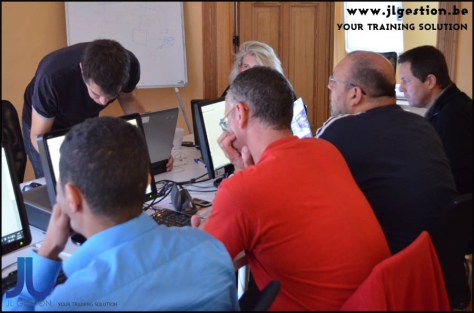
This training course provides participants with the knowledge and experience required to develop and deploy Enterprise JavaBeans, Web Services and robust Java EE (Java Enterprise Edition) web applications.

Training Programming Java EE and Frameworks – 5 days

Class overview :

This course provides students hands on experience with cutting edge Java Enterprise (Java EE) technologies, creating dynamic web and enterprise applications that utilize several Java frameworks and technologies including JSP’s and Servlets, Java Persistence API (JPA), JNDI, JDBC, AJAX, Web Services, Spring and Hibernate.

Class goals :

The goal is to enable students to exploit the Java EE platform and accompanying frameworks to facilitate the development of distributed, web-enabled applications.

Students will architectural design issues as well as specific coding models for a variety of Java EE components. By working with several Java frameworks in hands on labs, students will build applications that incorporate many of the patterns commonly used in these and other Java frameworks. Upon completion of the course, students should be able to learn and effectively utilize frameworks appropriate for their application environment.

Starting with Java Server Pages and Servlets, the course then introduces some of the most widely used frameworks to provide concrete illustrations of the services available. Since coding and deployment files are standardized by the Java EE specifications, students may readily apply the skills learned in this class to write code for any compliant server, including Apache Tomcat, JBoss, WebSphere, Oracle, WebLogic and many others.

Students will learn how to utilize ANT, a flexible and powerful XML-based build utility, to compile, deploy and execute stand-alone and enterprise Java applications. They will also use ANT to execute standalone client applications that communicate with Java EE applications. Comprehensive hands-on lab exercises reinforce instructor lectures and build direct competence in the topics presented throughout the course.

Content of Programming Java EE and Frameworks

  • Introduction to the Java EE Architecture
  • Using ANT
  • Servlet Classes and Interfaces
  • Request and Response Objects
  • Writing a Servlet
  • Web Application Structure
  • Introduction to Java Server Pages
  • Deploying a JSP
  • JSP Document Syntax
  • Communication Between Web Components
  • Database Persistence with and without Hibernate
  • Designing with Spring
  • Adding Spring to Existing Solutions
  • AJAX Integration with Java
  • Web Services in a Java Environment
  • Working with AJAX Toolkits
  • RESTful Web Services
  • AJAX Patterns
Programming Java EE and Frameworks
Training Programming Java EE and Frameworks

Onze voordelen :

  • Type of training: Inter-company, intra-company and individual
  • 100% flexible & personalised training : You choose the place, the dates and the training program
  • Offer request : Response within 24 hours
  • 50% discount for SME’s from Brussels-Capital Region
  • Free parking, lunch & drinks
  • Free use of our Digital Competence Centre: Manuals, courses, exercises, …
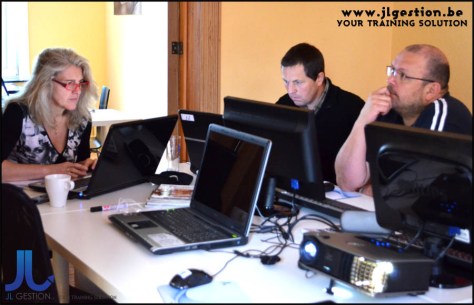
This course provides students hands on experience with cutting edge Java Enterprise (Java EE) technologies, creating dynamic web and enterprise applications that utilize several Java frameworks and technologies including JSP’s and Servlets, Java Persistence API (JPA), JNDI, JDBC, AJAX, Web Services, Spring and Hibernate.

Training Object Oriented Analysis & Design with UML – 4 days

Class overview :

This OOA&D training course presents the key concepts and methodologies required to perform quality object-oriented software engineering, with particular attention to practical techniques such as use-case and CRC analysis, UML diagramming, and patterns.

Class goals :

Students practice applying object oriented analysis during the course to improve software designs and to see how software objects can be altered to build software systems that are more robust and less expensive. Students use several methods for analyzing software systems, finding and refining useful classes and relationships between objects. Care is taken not to focus on any one language so that all students can participate in the design exercises without relying on specific programming skills. The course emphasizes the most practical analysis and design methods, including the application of use case analysis, CRC analysis, problem domain analysis, activity diagramming, interaction diagramming, and class diagramming. The Unified Modeling Language (UML) is presented in detail and is used in the exercises and case studies. Practical aspects of project management and implementation are presented from the perspective of experienced object system designers. Special emphasis is given to the use of object patterns in developing software systems. The students apply their skills in labs that are mini design sessions, during which the instructor helps the students identify and overcome common obstacles that occur during group sessions.

Content of Object Oriented Analysis & Design with UML

  • Structured vs. Object-Oriented Development
  • Complexity and its Effects
  • Inadequate and Unstable Requirements
  • UML Notation
  • OOA&D Project Methodology
  • Requirements Phase Activities
  • Analysis Phase Activities
  • Design Phase Activities
  • Characteristics of Iterative OOAD
  • Conducting Productive OOAD Sessions
  • Developing a High Level Use Case Model
  • Adding Details to a Use Case Model
  • Conceptual Class Diagrams
  • Analysis Patterns
  • CRC Analysis
  • State Machine Diagrams
  • System Operations Diagrams
  • Applying Design Patterns
  • Interaction Diagrams
  • Communication Diagrams
  • Sequence Diagrams
  • Documenting a Design Using Specification Class Diagrams
  • Evaluating Object-Oriented Software Design
  • Organizing Large Scale Software Applications
Object Oriented Analysis & Design with UML
Training Object Oriented Analysis & Design with UML

Onze voordelen :

  • Type of training: Inter-company, intra-company and individual
  • 100% flexible & personalised training : You choose the place, the dates and the training program
  • Offer request : Response within 24 hours
  • 50% discount for SME’s from Brussels-Capital Region
  • Free parking, lunch & drinks
  • Free use of our Digital Competence Centre: Manuals, courses, exercises, …

This OOA&D training course presents the key concepts and methodologies required to perform quality object-oriented software engineering, with particular attention to practical techniques such as use-case and CRC analysis, UML diagramming, and patterns.