Virtual machines allow a computer to run multiple operating systems simultaneously, letting you partition servers to isolate applications, improve portability and migration, or create entire testing labs within a single PC.
Class goals :
Employ VMware and Microsoft virtual machine (VM) technologies
Combine Windows and Linux workstations and servers on a single platform
Leverage VMs to build testing, support and training environments
Partition physical servers to decrease operating costs
Migrate from physical to virtual machines
Manage VMs on VMware ESX and Microsoft Hyper-V
Content of Virtualization Technologies: A Comprehensive Hands-On Introduction
Virtualization Concepts
Overview of virtual machines
Defining virtual machines (servers and workstations)
Advantages of deploying VMs
Virtual machine products
VMware Workstation
Server
ESX
Microsoft Virtual PC
Hyper-V
Other alternatives
Creating Virtual Machines
Comparing workstation products
Functionality
Performance
Contrasting Windows and Linux hosts
Abstracting hardware
Partitioning shared resources
Accessing raw and virtual disks
Virtualizing CPU and memory resources
Deploying virtual workstation software
Planning for automatic installations
Designing virtual networks
Bridged, NAT and host-only networking
Controlling guest OS access
Building guest operating systems
Allocating host resources
Configuring virtual hard drives
Enhancing VMs using virtualization tools
Managing peripheral devices
Mapping to floppy and CD images
Exploiting Virtual Workstation Functionality
Creating support platforms
Readying multiple operating systems
Managing display modes
Suspending and resuming virtual workstations
Expanding application support
Extending legacy application life
Widening platform options
Resolving version conflicts
Constructing a test environment
Accessing host files
Taking and restoring snapshots
Developing training environments
Protecting guest operating systems
Exploiting nonpersistent disks
Partitioning Servers
Establishing requirements
Justifying server virtualization
Partitioning via hardware and software
Recognizing server functionality needs
Choosing virtual server hosts
Evaluating performance and features
Considering security implications
Executing Server VMs
Working in interactive mode
Implementing headless operation
Managing virtual servers remotely
Exploiting remote management consoles
Connecting to the Web interfaces
Securing remote management
Deploying virtual servers
Automating tasks via scripting
Migrating physical to virtual servers
Optimizing performance
Accessing Storage Area Networks (SANs)
Clustering virtual machines
Distributing workloads via network load balancing (NLB)
Establishing fault tolerance by utilizing clustering services
Data Center Virtualization with ESX
Building the architecture
Examining ESX architecture
Planning and configuration
Leveraging ESX features
Networking with vSwitches and port groups
Optimizing resource utilization
Managing Microsoft Hyper-V
Maintaining virtual machines
Contrasting Hyper-V and ESX architecture
Implementing remote management tools
Securing virtual machine deployments
Implementing permissions
Reducing attack surface with Server Core
Training Virtualization Technologies: A Comprehensive Hands-On Introduction
Onze voordelen :
Type of training: Inter-company, intra-company and individual
100% flexible & personalised training : You choose the place, the dates and the training program
Offer request : Response within 24 hours
50% discount for SME’s from Brussels-Capital Region
Free parking, lunch & drinks
Free use of our Digital Competence Centre: Manuals, courses, exercises, …
Cloud computing is revolutionizing all aspects of IT, including hardware, operating systems and applications. Faced with a rapidly changing business environment, organizations are under pressure to respond with a flexible IT infrastructure and applications.
Class goals :
Thoroughly assess the architectures, components, operation and tools of cloud computing
Leverage cloud vendors, including Force.com, Microsoft Azure, Google and Amazon, for business advantage
Exploit Software as a Service (SaaS) to optimize cost and resources
Create, deploy and secure applications and services with Platform as a Service (PaaS)
Commission a computing Infrastructure as a Service (IaaS) with Amazon EC2 and Eucalyptus
Design a cloud implementation strategy that minimizes the risk for your organization
Content of Cloud Computing Technologies: A Comprehensive Hands-On Introduction
Introduction to Cloud Computing
Defining cloud computing
Components of a computing cloud
Differentiating types of clouds: public, private, hybrid
Delivering services from the cloud
Categorizing service types
Comparing vendor cloud products: Amazon, Google, Microsoft and others
Adopting the Cloud
Key drivers of cloud computing solutions
Instantaneous provisioning of computing resources
Handling varied loads with elasticity and seamless scalability
Tapping into an infinite storage capacity
Cost-effective pay-as-you-use billing models
Evaluating barriers to cloud computing
Handling sensitive data
Aspects of cloud security
Assessing governance solutions
Exploiting Software as a Service (SaaS)
Characterizing SaaS
Minimizing the need for local hardware and software
Streamlining administration with centralized installation and updates
Optimizing cost and performance with the ability to scale on demand
Comparing service scenarios
Improving collaboration with business productivity tools
Simplifying business process creation by integrating existing components
Inspecting SaaS technologies
Deploying Web applications
Implementing Web services: SOAP, REST
Choosing a development platform
Delivering Platform as a Service (PaaS)
Exploring the technical foundation for PaaS
Specifying the components of PaaS
Analyzing vendor PaaS provisions
Selecting an appropriate implementation
Building services with solution stacks
Evaluating the architecture of vendor specific platforms
Becoming familiar with service platform tools
Leveraging the power of scalable middleware
Managing cloud storage
Controlling unstructured data in the cloud
Deploying relational databases in the cloud
Improving data availability
Employing support services
Testing in the cloud
Monitoring cloud-based services
Analyzing portability across platforms
Deploying Infrastructure as a Service (IaaS)
Enabling technologies
Scalable server clusters
Achieving transparency with platform virtualization
Elastic storage devices
Accessing IaaS
Provisioning servers on demand
Handling dynamic and static IP addresses
Tools and support for management and monitoring
Building a Business Case
Calculating the financial implications
Analyzing current and future computing requirements
Comparing in-house facilities to the cloud
Estimating economic factors downstream
Preserving business continuity
Selecting appropriate service-level agreements
Safeguarding access to assets in the cloud
Security, availability and disaster recovery strategies
Migrating to the Cloud
Technical considerations
Rearchitecting applications for the cloud
Integrating the cloud with existing applications
Avoiding vendor lock-in
Planning the migration
Incremental vs. one-step solution
Selecting a vendor
Establishing staff skill requirements
Onze voordelen :
Type of training: Inter-company, intra-company and individual
100% flexible & personalised training : You choose the place, the dates and the training program
Offer request : Response within 24 hours
50% discount for SME’s from Brussels-Capital Region
Free parking, lunch & drinks
Free use of our Digital Competence Centre: Manuals, courses, exercises, …

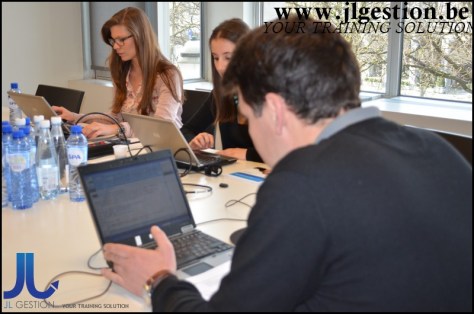

 Training-brussels - business training center in Brussels