Class overview :
This course introduces users to creating and managing databases using Microsoft Access.
Class goals :
Create a database
Manage data
Use a database query
Generate and format a report
Design tables
Create forms
Content of Office 2010 Series: Introduction to Access
Introduction to Databases
Creating a Database
Working with Tables
Working with Records
Managing Forms
Querying Databases
Creating and Printing Reports
Training Office 2010 Series
Onze voordelen :
Type of training: Inter-company, intra-company and individual
100% flexible & personalised training : You choose the place, the dates and the training program
Offer request : Response within 24 hours
50% discount for SME’s from Brussels-Capital Region
Free parking, lunch & drinks
Free use of our Digital Competence Centre: Manuals, courses, exercises, …
Class overview :
This course shows users how to create and deliver presentations using Microsoft PowerPoint.
Class goals :
Create and edit PowerPoint presentations
Change the order and presentation of slides
Manage objects, pictures, and tables
Create and deliver slide shows
Content of Office 2010 Series: Introduction to PowerPoint
Creating Presentations
Managing Slides
Managing Outlines
Managing Slide Text
Adding Clip Art and Pictures
Adding Tables
Presenting the Show
Onze voordelen :
Type of training: Inter-company, intra-company and individual
100% flexible & personalised training : You choose the place, the dates and the training program
Offer request : Response within 24 hours
50% discount for SME’s from Brussels-Capital Region
Free parking, lunch & drinks
Free use of our Digital Competence Centre: Manuals, courses, exercises, …
PIXYSTREE SCS
Rue Beeckmans, 53
Tel : +32 2 412 04 10
http://www.pixystree.com
50.864676
4.312588
Class overview :
This course introduces users to using e-mail and managing contacts and schedules in Microsoft Outlook.
Class goals :
Send and receive e-mail
Add and manage contacts
Manage tasks
Use the Calendar
Content of Office 2010 Series: Introduction to Outlook
Viewing and Replying to Mail
Managing Contacts
Using Mail
Using the Calendar
Managing Tasks
Training Office 2010 Series
Onze voordelen :
Type of training: Inter-company, intra-company and individual
100% flexible & personalised training : You choose the place, the dates and the training program
Offer request : Response within 24 hours
50% discount for SME’s from Brussels-Capital Region
Free parking, lunch & drinks
Free use of our Digital Competence Centre: Manuals, courses, exercises, …
Class overview :
This course introduces users to creating files in Microsoft Excel.
Class goals :
Get around in worksheets
Enter, edit, and format data
Create and use formulas
Content of Office 2010 Series: Introduction to Excel
Creating a Basic Worksheet
Getting Around in Excel
Formatting the Worksheet
Entering Data
Editing Data
Finding, Replacing, and Filling Data
Formulas
Training Office 2010 Series
Onze voordelen :
Type of training: Inter-company, intra-company and individual
100% flexible & personalised training : You choose the place, the dates and the training program
Offer request : Response within 24 hours
50% discount for SME’s from Brussels-Capital Region
Free parking, lunch & drinks
Free use of our Digital Competence Centre: Manuals, courses, exercises, …
Class overview :
This course introduces users to creating files in Microsoft Word.
Class goals :
Get around in Word
Create and format files in Word
Use tabs and tables in Word
Content of Office 2010 Series: Introduction to Word
Creating a Letter with Office Assistant
Getting Around in Word
Editing Features
Formatting Text
Tables
Creating Columns
Word Tools
Training Office 2010 Series
Onze voordelen :
Type of training: Inter-company, intra-company and individual
100% flexible & personalised training : You choose the place, the dates and the training program
Offer request : Response within 24 hours
50% discount for SME’s from Brussels-Capital Region
Free parking, lunch & drinks
Free use of our Digital Competence Centre: Manuals, courses, exercises, …
Class overview :
This course introduces users to formatting files in Microsoft Office 2010 applications.
Class goals :
Format characters, paragraphs, and documents in Word, Excel, and PowerPoint
Set line spacing
Create bulleted and numbered lists
Work with page breaks
Create headers and footers
Use special formatting in Excel
Content of Office 2010 Series: Text and Document Formats
Formatting Characters
Formatting Paragraphs
Formatting Lines
Editing Pages
Creating Headers and Footers
Special Formatting Using Excel
Training Office 2010 Series
Onze voordelen :
Type of training: Inter-company, intra-company and individual
100% flexible & personalised training : You choose the place, the dates and the training program
Offer request : Response within 24 hours
50% discount for SME’s from Brussels-Capital Region
Free parking, lunch & drinks
Free use of our Digital Competence Centre: Manuals, courses, exercises, …
Class overview :
This course introduces users to editing text and printing files in Microsoft Office 2010 applications.
Class goals :
Edit text in Word, Excel, and PowerPoint
Copy text across applications
Print files in Word, Excel and PowerPoint
Content of Office 2010 Series: Editing Text and Printing
Editing Text in Word
Editing Text in Excel
Editing Text in PowerPoint
Advanced Text Techniques
Printing
Printing in Excel and PowerPoint
Training Office 2010 Series
Onze voordelen :
Type of training: Inter-company, intra-company and individual
100% flexible & personalised training : You choose the place, the dates and the training program
Offer request : Response within 24 hours
50% discount for SME’s from Brussels-Capital Region
Free parking, lunch & drinks
Free use of our Digital Competence Centre: Manuals, courses, exercises, …
Class overview :
This course introduces users to the Microsoft Office 2010 environment and how to open and close applications and files.
Class goals :
Get around in Office programs
Start and exit Office programs
Open, close, and save files
Store files in the Office filing system
Content of Office 2010 Series: Getting Started
Using Office Programs
Getting Around in Office Programs
Creating and Storing Files
Opening, Locating, and Managing Files
Saving and Closing Files
Training Office 2010 Series
Onze voordelen :
Type of training: Inter-company, intra-company and individual
100% flexible & personalised training : You choose the place, the dates and the training program
Offer request : Response within 24 hours
50% discount for SME’s from Brussels-Capital Region
Free parking, lunch & drinks
Free use of our Digital Competence Centre: Manuals, courses, exercises, …
Class overview :
This course describes four productivity tools you can use within Lotus Notes – a word processor, a presentation program, a spreadsheet program, and a Web browser.
Class goals :
Explain the benefits of the Open Document Format
Use Lotus Symphony Documents
Use Lotus Symphony Presentations
Use Lotus Symphony Spreadsheets
Use the Lotus Notes Web browser
Content of Lotus Notes 8.5 Series: Using the Productivity Tools and Web Browser
The Lotus Productivity Tools
Lotus Documents
Lotus Presentations
Lotus Spreadsheets
The Lotus Notes Web browser
Training Lotus Notes 8.5 Series
Onze voordelen :
Type of training: Inter-company, intra-company and individual
100% flexible & personalised training : You choose the place, the dates and the training program
Offer request : Response within 24 hours
50% discount for SME’s from Brussels-Capital Region
Free parking, lunch & drinks
Free use of our Digital Competence Centre: Manuals, courses, exercises, …
Class overview :
This course describes the Contacts and To Do applications in Lotus Notes 8.5.
Class goals :
Create and modify contacts
Synchronize your local contacts data with the server
Set Contacts options to your preferences
Create To Do items
Create Quick reminders
Set To Do and Quick reminder preferences
Content of Lotus Notes 8.5 Series: Defining Contacts and To Do Items
Working with Contacts
Setting Contacts options
Creating To Do items
Training Lotus Notes 8.5 Series
Onze voordelen :
Type of training: Inter-company, intra-company and individual
100% flexible & personalised training : You choose the place, the dates and the training program
Offer request : Response within 24 hours
50% discount for SME’s from Brussels-Capital Region
Free parking, lunch & drinks
Free use of our Digital Competence Centre: Manuals, courses, exercises, …
Posts navigation
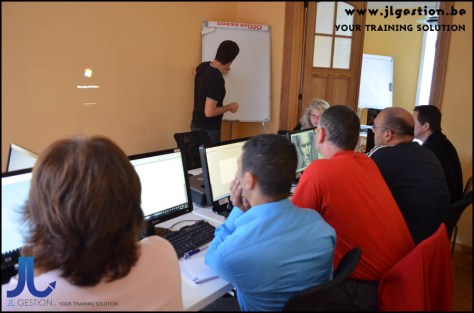
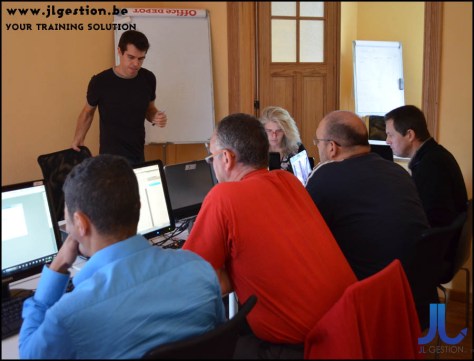
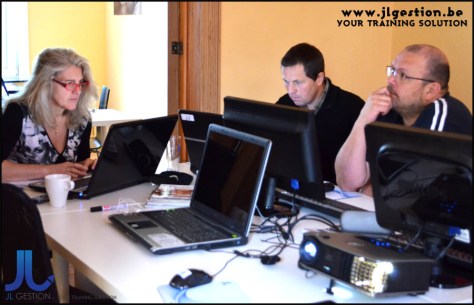
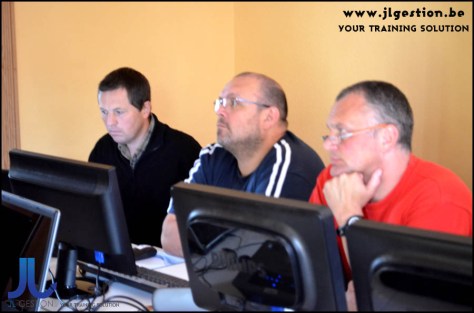
Tailor training for business company. Our trainers are active throughout Belgium




 Training-brussels - business training center in Brussels