
Tag Archives: advanced

Training Database with Visual Studio 2010 – 3 days

Class overview :

This three-day, instructor-led course provides students with the knowledge and skills to properly manage the SQL Server 2005/2008 database development lifecycle in an Agile environment. The student will learn how to manage changes to the database schema, ensuring quality through T-SQL unit testing, and how to automate the building and deploying of SQL Server databases.

Class goals :

Understand the database development capabilities of Visual Studio 2010
Understand the areas of integration with Team Foundation Server
Understand how the tools support an Agile database development lifecycle
Create and configure database projects and server projects
Compare schemas and data for differences from two SQL Server instances
Generate scripts to reconcile differences in schemas and data
Understand and create effective T-SQL unit tests
Understand and use database refactoring correctly
Use MSBuild and Team Build to manage build and deployment
Extend Visual Studio by creating your own database refactoring method, test data generator, unit test condition, and static code analysis rule

Content of Training Database with Visual Studio 2010

Class Outline

  1. Agile Database Development
    1. Agile database development
    2. Agile database techniques
    3. Visual Studio 2010 Premium Edition
    4. Case study
    5. Resources
    6. Lab Exercises
      1. Meet the AdventureWorks team
      2. Review the environment
      3. Deploy the database
  2. Database Projects
    1. Architecture of a database project
    2. Creating and managing database projects
    3. Visual Studio 2010 integration
    4. Importing database schema
    5. Importing SQL scripts
    6. Permissions
    7. Lab Exercises
      1. Explore Visual Studio integration
      2. Create a new database project
      3. Modify the database project
      4. Import a database schema
      5. Import a SQL script
  3. Change Management
    1. Introduction to Team Foundation Server
    2. Working with Team Projects
    3. Process templates and work items
    4. Using Team Foundation Version Control
    5. Placing database projects under version control
    6. Detecting and reconciling database schema differences
    7. Detecting and reconciling table data differences
    8. Lab Exercises
      1. Create a Team Project and work items
      2. Configure Team Foundation Version Control
      3. Place a database project under version control
      4. Explore and Visual Studio 2010 version control features
      5. Compare schemas for differences from two SQL Server instances
      6. Compare data for differences from two SQL Server tables
      7. Generate scripts to reconcile differences in schemas and data
      8. Explore the MSSCCI provider from SQL Server Management Studio (optional)
  4. Unit Testing
    1. Reasons to unit test your database code
    2. How to create database unit tests manually
    3. How to create database unit tests automatically
    4. Assertions vs. conditions
    5. Executing unit tests
    6. Managing and publishing test results
    7. Static code analysis
    8. Lab Exercises
      1. Create and execute database unit tests
      2. Use pre-test and post-test actions
      3. Use an ordered list to run tests
      4. Export and import test results
      5. Create unit tests automatically from the Schema View window
      6. Run static code analysis
  5. Refactoring
    1. Introduction to refactoring
    2. Refactoring support in Visual Studio 2010
    3. Database refactoring methods
    4. Rename refactoring methods
    5. Move refactoring method
    6. Fully-qualify refactoring method
    7. Expand-wildcard refactoring method
    8. Resources
    9. Lab Exercises
      1. Approaches to renaming database objects
      2. Use the rename refactor method
      3. Preview changes
      4. Undo refactoring using global undo
      5. Review the refactoring log
  6. Data Generation
    1. Issues with test data and some potential solutions
    2. Data generation plans
    3. Data generators
    4. Regular expression generator
    5. Data bound generator
    6. Creating and running a data generation plan
    7. Automatically generating data prior to running unit tests
    8. Lab Exercises
      1. Create a data generation plan
      2. Use the Regular Expression data generator
      3. Use the Data Bound generator
      4. Configure generation for related table and set ratios
      5. Generate data automatically prior to running unit tests
  7. Build and Deploy
    1. The need for automated build and deployment
    2. Building database projects
    3. Deploying schema changes
    4. The VSDBCMD.exe command line utility
    5. Integration with MSBuild
    6. Integration with Team Foundation Build
    7. Lab Exercises
      1. Build the database project
      2. Deploy database schema changes
      3. Use custom deployment scripts
      4. Automate using MSBuild and Team Foundation Build
  8. Extensibility
    1. Visual Studio 2010 Areas of extensibility
    2. Visual Studio database project and item templates
    3. Custom database refactoring methods
    4. Custom static code analysis rules
    5. Custom test data generators
    6. Custom unit test conditions
    7. Custom check-in policies
    8. Lab Exercises
      1. Customize database object templates
      2. Create a custom data generator
      3. Create a custom unit test condition
      4. Create a custom code analysis rule (optional)
      5. Create a custom refactoring method (optional)
      6. Create and debug a custom check-in policy (optional)

Database with Visual Studio 2010
Training Database with Visual Studio 2010

Onze voordelen :

  • Type of training: Inter-company, intra-company and individual
  • 100% flexible & personalised training : You choose the place, the dates and the training program
  • Offer request : Response within 24 hours
  • 50% discount for SME’s from Brussels-Capital Region
  • Free parking, lunch & drinks
  • Free use of our Digital Competence Centre: Manuals, courses, exercises, …
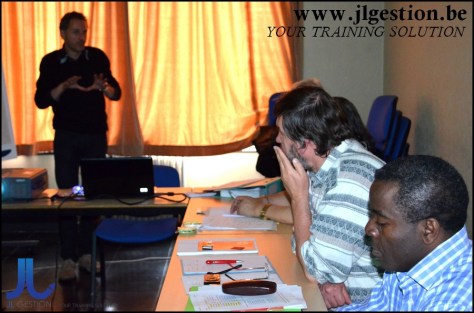
Training Real World Agile and Scrum – 2 days

Class overview :

This is not your typical Agile and Scrum 101 course. This course is designed to spend 25% of the time on « What » and « Why » behind Agile and Scrum and 75% on how you can actually start using it on your team tomorrow! This is team training so all roles (including the business product owners) should attend! In this Agile and Scrum course, attendees will learn real world techniques used by dozens of teams.

Class goals :

Compare Waterfall to Agile.
Learn the Agile values and principles.
Learn what Scrum is, the roles involved, and the process.
Compare and contrast Agile and Scrum roles to traditional roles and responsibilities.
Learn the Agile Lifecycle.
Learn to plan your release and build the backlog.
Learn to identify good stories.
Learn the methods for prioritizing and sizing stories.
Learn Sprint Planning and task estimating.
Learn about the Daily Scrum Meeting.
Learn about the Sprint review and retrospective.
Learn why Agile and Scrum are adopted.
Learn how Agile can fail and how to avoid pitfalls.

Content of Training Real World Agile and Scrum

Class Outline

  1. What is Agile & Scrum and Why?
    1. Traditional Project Characteristics
    2. The Agile Values
    3. What is Agile
    4. What is Scrum
    5. Agile Characteristics
    6. The Iteration Process
    7. The Backlog
    8. Agile/Scrum Top Terms
    9. Scrum Rules Cheat Sheet
  2. Agile / Scrum Roles
    1. Scrum Roles
    2. Who is the Product Owner?
    3. Product Owner is the Business Value Driver
    4. Product Owner is the Daily Decision Maker
    5. Business Users and SMEs
    6. The ScrumMaster
    7. ScrumMaster is a Servant Leader
    8. The Team
    9. Sample Team Structure
    10. The Team – Characteristics
    11. Team Maturity Stages
    12. Management Has a Role Too
    13. Best Practice: Reduce Cross-Project Multi-Tasking
    14. Best Practice: Plan Well for Shared Resources
    15. New Skills Are Needed
    16. Agile Roles – Handout
    17. Workshop – Agile vs. Traditional Roles
    18. So Why is Agile Being Adopted?
    19. So Who is Doing Agile?
    20. Challenges with Agile Adoption
    21. Workshop – Assessing Your Agility
    22. The Agile Lifecycle – Big Picture
    23. READY… SET… GO!
  3. Release Planning
    1. Product roadmap
    2. Release Planning
    3. Release Planning Steps
    4. Release Planning (picture)
    5. Principles for Identifying Stories
    6. Identifying Features / Stories
    7. Use Case Diagrams
    8. Themes, Features, Epics, Stories
    9. Sample Backlog
    10. What is a Story?
    11. Sample Stories
    12. Writing Good Stories
    13. Workshop – Identifying Features Using Use Cases
    14. Breaking Stories Into Small Chunks
    15. Sample Compound Stories
    16. Sample Complex Stories
    17. Sample Non-Functional Stories
    18. Workshop – Writing Stories
    19. How to Prioritize
    20. Prioritization Factors
    21. Dependency Chart Example
    22. Best Practice: Do Collaborative Requirements Gathering
    23. Workshop – Prioritizing Stories
    24. Sizing Stories Based on Complexity
    25. Story Points
    26. Hours vs. Story Points
    27. Playing Poker
    28. The ‘Complexity Buckets’ Method
    29. Workshop – Sizing Stories
    30. Building a Release Plan
    31. Defining the Team’s ‘Done’
    32. Sample Definition of ‘Done’
    33. Sample Definition of ‘Done’ ..
    34. How Long Should My Iteration Be?
    35. Estimating Initial Velocity
    36. Workshop – Estimating Initial Velocity
    37. Planning for Additional Iterations
    38. Developing the Project Estimate
    39. Have Realistic Expectations
    40. Sample Release Plan
    41. Workshop – Building Your Release Plan
  4. Iteration 0 / Setup
    1. Sprint 0 – Setting Up the Foundation for Success
    2. High Level Designs
    3. Team Training
    4. The Team Room / Environment
    5. Best Practice – Plan for ‘Gotchas’
    6. Workshop – Iteration 0 Planning
  5. Iteration Execution
    1. Iteration Planning
    2. Sample Iteration Plan
    3. Best Practices for Efficient Iteration Planning
    4. sample user test cases
    5. Best Practices for Task Breakdown
    6. everyone writes their tasks
    7. commitment reality check
    8. resource utilization sample
    9. best practice – involve shared resources
    10. Best practice – plan for ‘design’ and ‘code review’ tasks
    11. Workshop – Iteration Planning
    12. Creating the Task Board
    13. Task Board Variations
    14. daily tracking
    15. Daily Standup Rules
    16. Best Practice: ETA Dates vs. Hours Remaining
    17. Best Practice: Control Common Standup Dysfunctions
    18. Best Practice: Task Dependency Chart
    19. Iteration Burn down Charts
    20. iteration burn down – by story
    21. Best Practice Use Them With Caution
    22. Workshop- Controlling Standup Dysfunctions
    23. What Happens During the Iteration
    24. The ScrumMaster
    25. The Product Owner
    26. The Architect
    27. The Developer
    28. The BA
    29. The Tester
    30. impediments
    31. Impediment sample
    32. preparing for the review/demo
    33. iteration review
    34. Tracking Team’s Performance (Velocity)
    35. Managing Scope Changes
    36. Release Burnup Chart
    37. Iteration Retrospective
    38. best practices for retrospectives
    39. sample retrospective output
    40. Workshop – The Retrospective
  6. Pre-Release & Closure
    1. The Pre-Release Sprint
    2. Workshop – The Art of the ‘Possible’
  7. Our Top Best Practices
    1. Our Top Management Best Practices
    2. Our Top Team Best Practices
    3. Our Top Requirements Best Practices
    4. Our Top Technical Best Practices
Real World Agile and Scrum
Training Real World Agile and Scrum

Onze voordelen :

  • Type of training: Inter-company, intra-company and individual
  • 100% flexible & personalised training : You choose the place, the dates and the training program
  • Offer request : Response within 24 hours
  • 50% discount for SME’s from Brussels-Capital Region
  • Free parking, lunch & drinks
  • Free use of our Digital Competence Centre: Manuals, courses, exercises, …
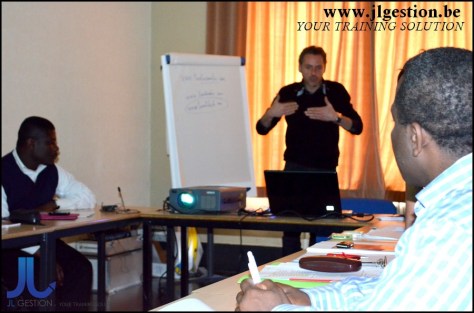
Training Java EE Web Application Development with Enterprise JavaBeans and Web Services – 5 days

Class overview :

This training course provides participants with the knowledge and experience required to develop and deploy Enterprise JavaBeans, Web Services and robust Java EE (Java Enterprise Edition) web applications.

Class goals :

The focus of the course is on building components that are deployed to the EJB Container and building web-enabled applications that employ Servlets, JavaServer Pages and Tag Libraries to exploit the services provided by the Java EE platform. This course covers architectural design issues as well as specific coding models for Java EE components, and is up to date with the latest Java EE 5, EJB 3, JAX-WS 2.1, JSP 2.1 and Servlet 2.5 specifications. Security, transaction management, inter-component communication and deployment issues are discussed in detail, with hands-on labs to solidify understanding.

Since coding and deployment files are standardized by the Java EE specifications, students may readily apply the skills learned in this class to write code for any compliant server, including Apache Tomcat, JBoss, WebSphere, Oracle, WebLogic and many others. Students will understand the role and architecture of the most important containers in the Java EE specification: the Web Container (which hosts HTML pages, Servlets and JSP Pages) and the EJB Container (which hosts Enterprise JavaBean components). Participants will learn how to use important Java EE services and protocols including JNDI, JDBC and JMS. Students will learn how to utilize ANT, a flexible and powerful XML-based build utility, to compile, deploy and execute stand-alone and enterprise Java applications. Comprehensive hands-on lab exercises reinforce instructor lectures and build direct competence in the topics presented throughout the course.

Content of Java EE Web Application Development with Enterprise JavaBeans and Web Services

  • Introduction to the Java EE Architecture
  • Using ANT
  • Servlet Classes and Interfaces
  • Request and Response Objects
  • Writing a Servlet
  • Web Application Structure
  • Introduction to Java Server Pages
  • Deploying a JSP
  • JavaBeans in a JSP
  • JSP Document Syntax
  • Communication Between Web Components
  • Java EE Session Support
  • Creating Cookies
  • Writing Custom Tag Libraries
  • JSP Expression Language
  • Developing Secure Web Applications
  • Java EE Authorization
  • Serializing with Object Streams
  • JNDI Architecture
  • Java DataBase Connectivity (JDBC)
  • Java Message Service (JMS) Classes and Interfaces
  • Deploying a Filter
  • Listeners in the Web Container
  • Resource Injection in Servlet 2.5 Applications
  • Overview of Enterprise JavaBeans (EJB)
  • Writing Session, Message-Driven and Entity Beans
  • Introduction to the Java Persistence API
  • Implementing Finder Methods
  • Object-Relational Mapping with JPA
  • Web Services in Java EE and Java SE
Java EE Web Application Development with Enterprise JavaBeans and Web Services
Training Java EE Web Application Development with Enterprise JavaBeans and Web Services

Onze voordelen :

  • Type of training: Inter-company, intra-company and individual
  • 100% flexible & personalised training : You choose the place, the dates and the training program
  • Offer request : Response within 24 hours
  • 50% discount for SME’s from Brussels-Capital Region
  • Free parking, lunch & drinks
  • Free use of our Digital Competence Centre: Manuals, courses, exercises, …
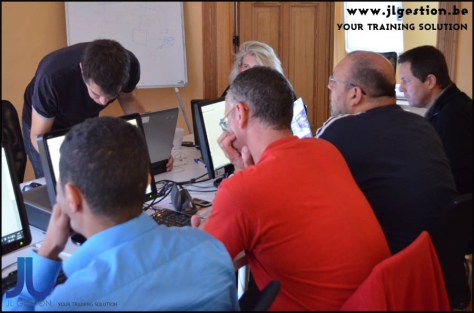
This training course provides participants with the knowledge and experience required to develop and deploy Enterprise JavaBeans, Web Services and robust Java EE (Java Enterprise Edition) web applications.

Training Programming Java EE and Frameworks – 5 days

Class overview :

This course provides students hands on experience with cutting edge Java Enterprise (Java EE) technologies, creating dynamic web and enterprise applications that utilize several Java frameworks and technologies including JSP’s and Servlets, Java Persistence API (JPA), JNDI, JDBC, AJAX, Web Services, Spring and Hibernate.

Class goals :

The goal is to enable students to exploit the Java EE platform and accompanying frameworks to facilitate the development of distributed, web-enabled applications.

Students will architectural design issues as well as specific coding models for a variety of Java EE components. By working with several Java frameworks in hands on labs, students will build applications that incorporate many of the patterns commonly used in these and other Java frameworks. Upon completion of the course, students should be able to learn and effectively utilize frameworks appropriate for their application environment.

Starting with Java Server Pages and Servlets, the course then introduces some of the most widely used frameworks to provide concrete illustrations of the services available. Since coding and deployment files are standardized by the Java EE specifications, students may readily apply the skills learned in this class to write code for any compliant server, including Apache Tomcat, JBoss, WebSphere, Oracle, WebLogic and many others.

Students will learn how to utilize ANT, a flexible and powerful XML-based build utility, to compile, deploy and execute stand-alone and enterprise Java applications. They will also use ANT to execute standalone client applications that communicate with Java EE applications. Comprehensive hands-on lab exercises reinforce instructor lectures and build direct competence in the topics presented throughout the course.

Content of Programming Java EE and Frameworks

  • Introduction to the Java EE Architecture
  • Using ANT
  • Servlet Classes and Interfaces
  • Request and Response Objects
  • Writing a Servlet
  • Web Application Structure
  • Introduction to Java Server Pages
  • Deploying a JSP
  • JSP Document Syntax
  • Communication Between Web Components
  • Database Persistence with and without Hibernate
  • Designing with Spring
  • Adding Spring to Existing Solutions
  • AJAX Integration with Java
  • Web Services in a Java Environment
  • Working with AJAX Toolkits
  • RESTful Web Services
  • AJAX Patterns
Programming Java EE and Frameworks
Training Programming Java EE and Frameworks

Onze voordelen :

  • Type of training: Inter-company, intra-company and individual
  • 100% flexible & personalised training : You choose the place, the dates and the training program
  • Offer request : Response within 24 hours
  • 50% discount for SME’s from Brussels-Capital Region
  • Free parking, lunch & drinks
  • Free use of our Digital Competence Centre: Manuals, courses, exercises, …
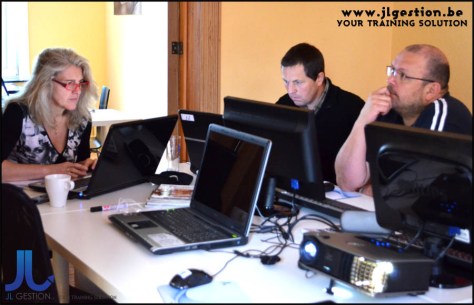
This course provides students hands on experience with cutting edge Java Enterprise (Java EE) technologies, creating dynamic web and enterprise applications that utilize several Java frameworks and technologies including JSP’s and Servlets, Java Persistence API (JPA), JNDI, JDBC, AJAX, Web Services, Spring and Hibernate.

Training Object Oriented Analysis & Design with UML – 4 days

Class overview :

This OOA&D training course presents the key concepts and methodologies required to perform quality object-oriented software engineering, with particular attention to practical techniques such as use-case and CRC analysis, UML diagramming, and patterns.

Class goals :

Students practice applying object oriented analysis during the course to improve software designs and to see how software objects can be altered to build software systems that are more robust and less expensive. Students use several methods for analyzing software systems, finding and refining useful classes and relationships between objects. Care is taken not to focus on any one language so that all students can participate in the design exercises without relying on specific programming skills. The course emphasizes the most practical analysis and design methods, including the application of use case analysis, CRC analysis, problem domain analysis, activity diagramming, interaction diagramming, and class diagramming. The Unified Modeling Language (UML) is presented in detail and is used in the exercises and case studies. Practical aspects of project management and implementation are presented from the perspective of experienced object system designers. Special emphasis is given to the use of object patterns in developing software systems. The students apply their skills in labs that are mini design sessions, during which the instructor helps the students identify and overcome common obstacles that occur during group sessions.

Content of Object Oriented Analysis & Design with UML

  • Structured vs. Object-Oriented Development
  • Complexity and its Effects
  • Inadequate and Unstable Requirements
  • UML Notation
  • OOA&D Project Methodology
  • Requirements Phase Activities
  • Analysis Phase Activities
  • Design Phase Activities
  • Characteristics of Iterative OOAD
  • Conducting Productive OOAD Sessions
  • Developing a High Level Use Case Model
  • Adding Details to a Use Case Model
  • Conceptual Class Diagrams
  • Analysis Patterns
  • CRC Analysis
  • State Machine Diagrams
  • System Operations Diagrams
  • Applying Design Patterns
  • Interaction Diagrams
  • Communication Diagrams
  • Sequence Diagrams
  • Documenting a Design Using Specification Class Diagrams
  • Evaluating Object-Oriented Software Design
  • Organizing Large Scale Software Applications
Object Oriented Analysis & Design with UML
Training Object Oriented Analysis & Design with UML

Onze voordelen :

  • Type of training: Inter-company, intra-company and individual
  • 100% flexible & personalised training : You choose the place, the dates and the training program
  • Offer request : Response within 24 hours
  • 50% discount for SME’s from Brussels-Capital Region
  • Free parking, lunch & drinks
  • Free use of our Digital Competence Centre: Manuals, courses, exercises, …
This OOA&D training course presents the key concepts and methodologies required to perform quality object-oriented software engineering, with particular attention to practical techniques such as use-case and CRC analysis, UML diagramming, and patterns.

Training Windows 2008 System Administration – 5 days

Class overview :

This course provides hands on experience installing and configuring Windows Server 2008. Students will perform full and core CD-based standard installation, deploy an image, configure and tune the server and assign roles and services.

Class goals :

Attendees will practice local and remote administration of security, network, data and hardware in hands on labs. After installing an Active Directory domain controller, students will create and assign users, groups, permissions, rights, policies and profiles.

Attendees will configure and troubleshoot the TCP/IP network, create custom consoles and Powershell scripts, and implement a backup strategy. Also covered are many aspects of local security, such as group policy objects (GPO), Encrypting File System (EFS), rights and permissions, Firewall, and Network Level Authentication. Students will learn to use enterprise tools such as Distributed File System (DFS) and File System Resource Manager (FSRM) to facilitate clustering and virtualization. Comprehensive labs and exercises give the students real experience deploying, managing and troubleshooting the Windows 2008 infrastructure.

Content of Windows 2008 System Administration

Windows 2008 System Administration
Training Windows 2008 System Administration

Onze voordelen :

  • Type of training: Inter-company, intra-company and individual
  • 100% flexible & personalised training : You choose the place, the dates and the training program
  • Offer request : Response within 24 hours
  • 50% discount for SME’s from Brussels-Capital Region
  • Free parking, lunch & drinks
  • Free use of our Digital Competence Centre: Manuals, courses, exercises, …
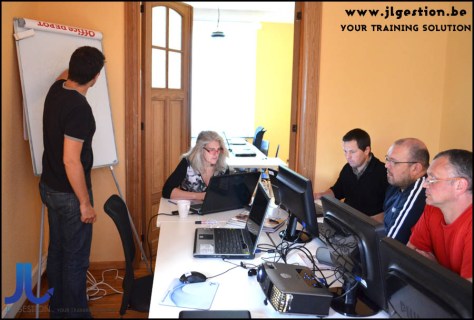
This course provides hands on experience installing and configuring Windows Server 2008. Students will perform full and core CD-based standard installation, deploy an image, configure and tune the server and assign roles and services.

Training Windows Server 2008 Active Directory, Group Policy and Security Design – 5 days

Class overview :

Active Directory provides a single administration point for sign-on, policies and authentication control. This hands on course provides experience configuring Active Directory and essential network security components such as AD Certificate Services, IPSec and virtual private networking (VPN).

Class goals :

Students will install Active Directory Domain Services (ADDS), integrate DNS for Active Directory and Internet name resolution, implement AD security for DNS, and configure logical AD components, such as forests, trees, domains and organizational units (OUs). Upgrading and migrating the ADDS structure within or between forests, troubleshooting, backup and restore methods and additional maintenance tools will be explored. Attendees will investigate additional Active Directory roles and services. With ADDS installed, we will monitor and maintain sites and replication to assure up-to-date information.

An administrator needs to control the user environment, so students will look at the architecture, scope, inheritance, replication and troubleshooting in group policy before learning to restrict and enable users with login scripts, rights, desktop policies and software deployment and control. We’ll also look at further controlling computers through security policies, loopback processing, and templates. Attendees will delegate administration of the configuration policies, control application and inheritance and explore tools to refine the user experience. Comprehensive labs and exercises give the students real experience installing and configuring Active Directory while securing the network.

Content of Windows Server 2008 Active Directory, Group Policy and Security Design

  • Introduction to Name Resolution Services
  • Installing and Configuring DNS
  • Managing a Zone
  • Installing and Configuring Active Directory
  • Active Directory Sites and Replication
  • Flexible Single Master Operation (FSMO) Roles
  • Backing Up and Restoring Active Directory
  • Active Directory Support Tools
  • Defining the Active Directory Schema
  • AD Lightweight Directory Services (AD LDS)
  • Implementing Group Policy
  • Group Policy Management Console (GPMC)
  • Understanding User Profiles
  • Implementing Basic Folder Redirection
  • Creating a Starter GPO
  • Public Key Infrastructure (PKI)
  • Granting and Revoking Certificates
  • Security Configuration Wizard (SCW) Basics
  • Configuring NAP Policy Services
  • Configuring NAP Clients
  • Installing and Configuring a Remote Access Server
  • Virtual Private Network (VPN) Configuration
  • Network Policy Server (NPS) Introduction
  • Implementing IPSec
  • Installing and Configuring Internet Information Server (IIS) 7.5
  • Installing ASP.NET
Windows Server 2008 Active Directory, Group Policy and Security Design
Training Windows Server 2008 Active Directory, Group Policy and Security Design

Onze voordelen :

  • Type of training: Inter-company, intra-company and individual
  • 100% flexible & personalised training : You choose the place, the dates and the training program
  • Offer request : Response within 24 hours
  • 50% discount for SME’s from Brussels-Capital Region
  • Free parking, lunch & drinks
  • Free use of our Digital Competence Centre: Manuals, courses, exercises, …

Active Directory provides a single administration point for sign-on, policies and authentication control. This hands on course provides experience configuring Active Directory and essential network security components such as AD Certificate Services, IPSec and virtual private networking (VPN).

Training Linux System Administration – 1 day

Class overview :

This Linux administration training course teaches students how to install, maintain, configure and tune a Linux system in a networked environment.

Class goals :

Students will not only learn to perform basic administrative tasks such as adding and managing users, creating and maintaining file systems, maintaining shell and Perl scripts, and imposing a security policy, but will also learn to perform more advanced tasks including rebuilding the kernel, installing and supporting the X Window System, and installing and supporting network facilities such as NFS, DNS and DHCP. Students will also learn how to install and configure the Samba file sharing package and the Apache web server.

The course includes comprehensive hands on practice installing and configuring SuSE 10.1 and RedHat Fedora Core 6. Labs include adding and deleting users, backing up and restoring the system, rebuilding the kernel, automating the scheduling of tasks, maintaining file systems, managing remote access, and installing and tuning Samba and Apache, as well as working with modern system logging utilities such as syslog-ng. Class participants will also discuss common security issues, and be introduced to several tools, such as PAM modules, that can help secure the operating environment. Upon completion of this course, students will be prepared to competently maintain a Linux system in a networked business environment.

Content of Linux System Administration

  • LINUX Architecture
  • Linux System Installation
  • Preparing a Server Site
  • Hard Drive Partitions
  • Networking Procedures Overview
  • Print Service Basics
  • Printing Using CUPS and LPD
  • Installing and Configuring X Windows
  • Installing and Using VNC
  • Managing Hardware
  • Installing Software with the rpm Command
  • CVS Source Code Management
  • Solving Problems via the Bootup Process
  • System Startup and Shutdown Scripts
  • Managing Users and Groups
  • Adding Users to the System
  • Working with Groups
  • Setting User Environments
  • Reviewing Basic Permissions
  • Working with Extra File Permissions and Access Control Lists
  • Delegating and Limiting Access Rights on the System
  • Restricting System Logins
  • Linux Filesystem Basics
  • Repairing Filesystems
  • Shell and Perl Scripting Fundamentals
  • Controlling and Automating Processes
  • Working with System Logs
  • System Backups
  • Network File Systems
  • Using Samba
  • Implementing the Dynamic Host Configuration Protocol (DHCP)
  • Working with DNS
  • NIS Overview
  • Configuring the Master Server
  • Configuring the Apache Web Server
  • Using SSH
  • System Security
  • The Linux Kernel
Linux System Administration
Training Linux System Administration

Onze voordelen :

  • Type of training: Inter-company, intra-company and individual
  • 100% flexible & personalised training : You choose the place, the dates and the training program
  • Offer request : Response within 24 hours
  • 50% discount for SME’s from Brussels-Capital Region
  • Free parking, lunch & drinks
  • Free use of our Digital Competence Centre: Manuals, courses, exercises, …

This Linux administration training course teaches students how to install, maintain, configure and tune a Linux system in a networked environment.

Training UNIX/Linux Fundamentals – 5 days

Class overview :

This hands on course provides training on standard UNIX/Linux commands and utilities used for day to day tasks including file manipulation, program execution and control, and effective use of the shell and desktop environments.

Class goals :

The course presents the concepts necessary to understand the way UNIX works as well as the system’s most commonly used commands. Data manipulation utilities and shell syntax for synthesizing command pipelines are emphasized. Bourne and Korn shell programming is introduced so students will be able to read and modify existing shell scripts as well as create their own. Desktop environments are also introduced from a user’s perspective, including common window managers, Open Office utilities and an introduction to configuration tools. Proficiency in applying new skills is reinforced with extensive hands on exercises after each module.

Content of UNIX/Linux Fundamentals

  • History of UNIX
  • Navigating the File System
  • Viewing and Copying Files
  • Using the Command Line
  • Creating User Logins and Passwords
  • Communicating with Other Users
  • Using the vi Editor
  • File and Directory Naming Rules and Conventions
  • Introduction to Inodes
  • Manipulating Files, Links and Directories
  • UNIX Process Model
  • Monitoring and Controlling Processes
  • Shell Syntax
  • Features of C, Korn and bash Shells
  • I/O Redirection and Pipes
  • Command Substitution, Quoting and Escaping
  • Command Separation and Grouping
  • Using grep, egrep, awk, and sed
  • Using Compression Utilities
  • Backing Up Files
  • tar Syntax
  • UNIX Network Applications
  • Using ftp
  • Working With the Secure Shell
  • Submitting and Controlling Print Jobs
UNIX/Linux Fundamentals
Training UNIX/Linux Fundamentals

Onze voordelen :

  • Type of training: Inter-company, intra-company and individual
  • 100% flexible & personalised training : You choose the place, the dates and the training program
  • Offer request : Response within 24 hours
  • 50% discount for SME’s from Brussels-Capital Region
  • Free parking, lunch & drinks
  • Free use of our Digital Competence Centre: Manuals, courses, exercises, …
This hands on course provides training on standard UNIX/Linux commands and utilities used for day to day tasks including file manipulation, program execution and control, and effective use of the shell and desktop environments.

Training Exchange Server 2010 System Administration – 5 days

Class overview :

This course provides hands on experience installing and configuring Exchange Server 2010 and a variety of Microsoft messaging clients. Students will also install and configure Windows Server 2008, Active Directory Domain Services and IIS web services.

Class goals :

Attendees will practice local and remote administration of server roles, network connectivity and user messaging data. After installing Exchange, students will create users and groups, and assign permissions, rights and policies. They will then configure and troubleshoot the Exchange environment using various consoles and management shells. We’ll investigate backup and fault tolerance strategies, as well as security and user access issues. Comprehensive labs and exercises give students real experience deploying, managing and troubleshooting an Exchange Server 2010 infrastructure.

Content of Exchange Server 2010 System Administration

  • Windows Server Installation and Configuration
  • Exchange Server Installation and Configuration
  • Active Directory, DNS and IIS Integration
  • Management Consoles and Shells
  • Exchange Server Roles and Security Management
  • Administrative Management Roles
  • Message and Recipient Management
  • Rights Based Access Control
  • Exchange Backup and Recovery
  • Exchange Database Availability Groups
  • Exchange Server Maintenance, Monitoring and Troubleshooting
  • Outlook, OWA and ActiveSync Installation and Configuration
  • Managing User Email and Calendar Data
  • Managing Global and Personalized Address Lists
Exchange Server 2010 System Administration
Training Exchange Server 2010 System Administration

Onze voordelen :

  • Type of training: Inter-company, intra-company and individual
  • 100% flexible & personalised training : You choose the place, the dates and the training program
  • Offer request : Response within 24 hours
  • 50% discount for SME’s from Brussels-Capital Region
  • Free parking, lunch & drinks
  • Free use of our Digital Competence Centre: Manuals, courses, exercises, …

This course provides hands on experience installing and configuring Exchange Server 2010 and a variety of Microsoft messaging clients. Students will also install and configure Windows Server 2008, Active Directory Domain Services and IIS web services.