Java 2: Programming Language introduces the foundations of Java 2 Standard Edition (J2SE) technology. Students will explore concepts and perform hands-on exercises to apply what they learn. Java is the language of choice for the Internet. Java enhances productivity by allowing the inheritance of methods and properties from the well-organized Java Class Library. Students will build Graphical User Interfaces and handle various events. Students will explore multi-threading and how it can improve the performance of applications. Students will also use many methods of the Graphics class to draw shapes.
Class goals :
An Introduction to Java
Datatypes, Variables, and Methods
Object Orientation, Part 1
Construction Time
Object-Orientation, Part 2
Java Language-Statements and Expressions
Branching and Looping
The Java Class Library
Exploring java.lang
Content of JAVA 2 Programming Language
Class objectives help students become comfortable with the course, and also provide a means to evaluate learning. Upon successful completion of this course, students will be able to:
List the benefits and roles of the Java programming language.
Utilize primitive datatypes, variables, constants, literals, and methods.
Implement classes and properties, and understand abstraction and encapsulation.
Differentiate between an application and an applet, and pass parameters to both.
Use inheritance, interfaces, packages, modifiers, as well as archive files.
Use operators and expressions to perform calculations and typecasting.
Control the flow of programs with branching and looping.
Explore the packages and interfaces in the Java Class Library.
Explore the java.lang package and use methods from the String and Math classes.
Change fonts and colors in the display; use Graphics and Image classes to draw to the display.
Handle key and mouse events.
Explore the applet architecture, detect and process errors, and explore threads.
Explore the AWT package and build a GUI interface.
Training JAVA 2 Programming Language
Onze voordelen :
Type of training: Inter-company, intra-company and individual
100% flexible & personalised training : You choose the place, the dates and the training program
Offer request : Response within 24 hours
50% discount for SME’s from Brussels-Capital Region
Free parking, lunch & drinks
Free use of our Digital Competence Centre: Manuals, courses, exercises, …
Java 2: Programming Language introduces the foundations of Java 2 Standard Edition (J2SE) technology. Students will explore concepts and perform hands-on exercises to apply what they learn. Java is the language of choice for the Internet. Java enhances productivity by allowing the inheritance of methods and properties from the well-organized Java Class Library. Students will build Graphical User Interfaces and handle various events. Students will explore multi-threading and how it can improve the performance of applications. Students will also use many methods of the Graphics class to draw shapes.
This course provides you with the background and skills required to design and develop enterprise applications in Java using J2EE technologies. You will use WebLogic server as the application and web server and will learn about configuring WebLogic, deploying applications, and monitoring applications using WebLogic’s monitoring tools. During the course you will write many components of a sample e-commerce application and deploy the application to WebLogic.
Class goals :
Java 2, Enterprise Edition (J2EE)
Overview of BEA WebLogic
Building, Deploying, and Testing Enterprise Applications
Building a Sample Application
Container-managed Persistence (CMP) Entity Beans
Bean-managed Persistence (BMP) Entity Beans
Stateless Session Beans
Stateful Session Beans
Message-Driven Beans
The View
The Controller
Advanced WebLogic Server Concepts
Content of Java 2 Enterprise Development With BEA WebLogic
Develop with RMI, JNDI, JMS, and JDBC.
Use container-managed and bean-managed transactions.
Write JSPs and servlets.
Write Entity Enterprise JavaBeans (EJBs) using container-managed or bean-managed persistence.
Write Stateless and Stateful Session EJBs.
Write Message-Driven EJBs.
Unit test your J2EE applications.
Build your J2EE applications using Ant.
Implement the Model-View-Controller design pattern.
Use the Value Object design pattern.
Use the DAO design pattern.
Configure and monitor WebLogic 6.1.
Load test EJBs in WebLogic 6.1.
Training Java 2 Enterprise Development With BEA WebLogic
Onze voordelen :
Type of training: Inter-company, intra-company and individual
100% flexible & personalised training : You choose the place, the dates and the training program
Offer request : Response within 24 hours
50% discount for SME’s from Brussels-Capital Region
Free parking, lunch & drinks
Free use of our Digital Competence Centre: Manuals, courses, exercises, …
This course provides you with the background and skills required to design and develop enterprise applications in Java using J2EE technologies. You will use WebLogic server as the application and web server and will learn about configuring WebLogic, deploying applications, and monitoring applications using WebLogic’s monitoring tools. During the course you will write many components of a sample e-commerce application and deploy the application to WebLogic.
Java 2: Using IBM VisualAge to Create Java Applications introduces the major elements of the VisualAge Java programming environment.
Class goals :
Build Your First Applet and Applications Using VisualAge
Using the Basic VisualAge SmartGuides
The VisualAge Environment
The Visual Composition Editor
Creating Connections Between Java Beans
Reusable Form Fragments
Creating “Invisible” Beans from Scratch
Content of J2 Using IBM VisualAge To Create Java Applications
Upon successful completion of this course, students will be able to:
Create applications and applets in VisualAge.
Use many of the VisualAge SmartGuides.
Navigate through the features of the VisualAge environment, and be ableto use the debugger.
Use the Visual Composition Editor to create GUI-rich visual applications.
Use Connections in the Visual Composition Editor to specify eventhandling and property-to-property connections.
Create reusable, “visible” form-fragment beans.
Create new “invisible” beans that have events and properties.
Use advanced Swing techniques in VisualAge, including using TabbedPanes and ScrollPanes, and specifying the data model of various beans,such as JLists.
Understand and modify the code that the VisualAge Visual CompositionEditor generates.
Access databases using the Java JDBC libraries.
Access databases using specialized database beans, such as the Select and DBNavigator beans in the Visual Composition Editor.
Create custom database-aware TableModels beans for use with Swing JTables.
Training J2 Using IBM VisualAge To Create Java Applications
Onze voordelen :
Type of training: Inter-company, intra-company and individual
100% flexible & personalised training : You choose the place, the dates and the training program
Offer request : Response within 24 hours
50% discount for SME’s from Brussels-Capital Region
Free parking, lunch & drinks
Free use of our Digital Competence Centre: Manuals, courses, exercises, …
Java 2: Using IBM VisualAge to Create Java Applications introduces the major elements of the VisualAge Java programming environment.
Java 2: Object-Oriented Analysis and Design Using UML introduces the major elements of the Unified Modeling Language and the Unified Software Development Process
Class goals :
Know the Purpose and Parts of the UML
Drive the Development of a System Using Use Cases
Describe How Objects Interact Using a Sequence Diagram
Create Class and Object Diagrams
Interface-based Design
Layer your System into Packages
Model Dynamic Behavior using Collaboration,
Statechart, and Activity Diagrams
Using Component and Deployment Diagrams
Manage and Schedule the Software Development Process
Content of J 2Object Oriented Analysis And Design Using UML
Students become comfortable with the course, and also provide a means to evaluate learning. Upon successful completion of this course, students will be able to:
Know the purpose and parts of UML.
Drive the development of a system based on Use Cases.
Use the CRC method to identify classes.
Describe how objects interact using a Sequence Diagram.
Create Class and Object Diagrams.
Use Interface-based Design.
Layer your system into packages.
Model Dynamic Behavior using Collaboration,
Statechart, and Activity Diagrams.
Use Component and Deployment Diagrams.
Manage and Schedule the Software Development Process.
Training J 2Object Oriented Analysis And Design Using UML
Onze voordelen :
Type of training: Inter-company, intra-company and individual
100% flexible & personalised training : You choose the place, the dates and the training program
Offer request : Response within 24 hours
50% discount for SME’s from Brussels-Capital Region
Free parking, lunch & drinks
Free use of our Digital Competence Centre: Manuals, courses, exercises, …
Java 2: Object-Oriented Analysis and Design Using UML introduces the major elements of the Unified Modeling Language and the Unified Software Development Process
Java 2: Enterprise Connectivity builds on the fundamentals of the Java Enterprise Edition (J2EE) technology including database connectivity, Java Server Pages, Servlets, and Enterprise Java Beans.
Class goals :
The Java 2 Enterprise Architecture
Essential Concepts
Java Database Connectivity (JDBC)
Using JDBC
The Essentials of Java Server Pages (JSP)
Java Server Page Objects
The Architecture of Java Server Pages (JSP)
Java Servlet Essentials
Java Servlets—Construction Time
Enterprise Java Bean (EJB) Essentials
The Session Bean
Content of Java 2: Enterprise Connectivity
Upon successful completion of this course, students will be able to:
Understand the basic architectures for the Java 2 Enterprise Edition and its
implementation architectures.
Understand the flow of documents and control on the World Wide Web
(WWW).
Describe the structure of Java Database Connectivity (JDBC).
Utilize JDBC to connect to a database, retrieve meta data, and execute
SQL queries.
Understand how Java Server Pages (JSP) can be used, and how it
compares to Common Gateway Interface (CGI) and Active Server Pages
(ASP).
Use JSP objects to manipulate data on the World Wide Web.
Understand the elements of the JSP language set, and utilize JSP Action elements and Directives.
Describe the Java Servlet lifecycle and utilize Servlet packages.
Understand and use the Servlet development process.
Understand and implement Enterprise Java Beans (EJB).
Understand and implement Session beans.
Training Java 2: Enterprise Connectivity
Onze voordelen :
Type of training: Inter-company, intra-company and individual
100% flexible & personalised training : You choose the place, the dates and the training program
Offer request : Response within 24 hours
50% discount for SME’s from Brussels-Capital Region
Free parking, lunch & drinks
Free use of our Digital Competence Centre: Manuals, courses, exercises, …
Java 2: Enterprise Connectivity builds on the fundamentals of the Java Enterprise Edition (J2EE) technology including database connectivity, Java Server Pages, Servlets, and Enterprise Java Beans.
Client/server applications can be written utilizing both the java.net and java.rmi packages. Security is also covered in detail throughout several chapters including security policies and data encryption. XML parsing is done using the JAXP API. Programmers can use C and C++ functions from their Java programs using JNI. The course ends with several chapters on design patterns and how they can be put to best use in different types of Java applications.
Class goals :
Java programmers who wish to increase their depth of knowledge in Java programming and explore the uses of the various advanced packages.
Content of ADVANCED JAVA PROGRAMMING
Client/server applications can be written utilizing both the java.net and java.rmi packages. Security is also covered in detail throughout several chapters including security policies and data encryption. XML parsing is done using the JAXP API. Programmers can use C and C++ functions from their Java programs using JNI. The course ends with several chapters on design patterns and how they can be put to best use in different types of Java applications.
Training ADVANCED JAVA PROGRAMMING
Onze voordelen :
Type of training: Inter-company, intra-company and individual
100% flexible & personalised training : You choose the place, the dates and the training program
Offer request : Response within 24 hours
50% discount for SME’s from Brussels-Capital Region
Free parking, lunch & drinks
Free use of our Digital Competence Centre: Manuals, courses, exercises, …
Client/server applications can be written utilizing both the java.net and java.rmi packages. Security is also covered in detail throughout several chapters including security policies and data encryption. XML parsing is done using the JAXP API. Programmers can use C and C++ functions from their Java programs using JNI. The course ends with several chapters on design patterns and how they can be put to best use in different types of Java applications.
Objective-C is the language for developing iPhone and iPad applications. This class teaches the fundamentals of the programming language. It includes an introduction to XCode, the software development tool for Objective-C; c++ underlying concepts; program control flow and functions; object-oriented programming concepts and practice, including object handling within Objective-C; memory management in Objective-C; and an in-depth review of the Foundation classes.
Class goals :
Learn how to use XCode for developing Objective-C programs.
Learn how to manage variables and build your own functions in Objective-C.
Learn the fundamental concepts of object oriented programming, and how to create and use objects in Objective-C.
Understand the memory management model for Objective-C, and options for the developer.
Learn about the Foundation classes for data manipulation, and their use in Objective-C programming.
Content of Introduction To Objective C For IOS Development Iphone Ipad
Upon class completion students will gain a strong foundation and understanding for the Objective C language. Students can then take the next step towards learning XCode which will help in developing Mobile Apps for iPhone.
Training Introduction To Objective C For IOS Development Iphone Ipad
Onze voordelen :
Type of training: Inter-company, intra-company and individual
100% flexible & personalised training : You choose the place, the dates and the training program
Offer request : Response within 24 hours
50% discount for SME’s from Brussels-Capital Region
Free parking, lunch & drinks
Free use of our Digital Competence Centre: Manuals, courses, exercises, …
Objective-C is the language for developing iPhone and iPad applications. This class teaches the fundamentals of the programming language. It includes an introduction to XCode, the software development tool for Objective-C; c++ underlying concepts; program control flow and functions; object-oriented programming concepts and practice, including object handling within Objective-C; memory management in Objective-C; and an in-depth review of the Foundation classes.
This hands on Perl programming course provides a thorough introduction to the Perl programming language, teaching attendees how to develop and maintain portable scripts useful for system management, data manipulation, and Web CGI programming.
Class goals :
Extensive hands on exercises provide practice in report creation, pattern matching, string manipulation, file I/O, command line processing, and debugging. Students are shown how to extend Perl’s basic functionality with packages and loadable modules. The final day encompasses CGI scripting with Perl as well as database access using the DBI module. Attendees are shown how to validate form data, how to perform robust database access, and how to generate HTML output in order to create a dynamic web site.
Content of Perl Programming and CGI Scripting
Perl Fundamentals
Running Perl on UNIX and Windows
Using Scalar Variables
Using Arrays
Operators, Expressions and Precedence
Arithmetic and String Operators
Relational and Logical Operators
Using the Conditional Operator
Understanding File Test Functions
Conditional Constructs
Looping Constructs
Using Subroutines
Global vs. Local Variables and Scoping
Debugger Concepts
Using Perl Script Arguments
Using Regular Expressions
Reading and Writing Files
Understanding Scope
Understanding Modules
Writing to Files and Using Multiple Named Formats
The Common Gateway Interface
Configuring a Web Server for CGI
The Apache httpd.conf File
Aliasing CGI-Enabled Directories in Apache
Relationship Between HTML and CGI
The CGI Output Stream
Specifying MIME Types
Printing Dynamic Content
Working with Form Data
Using the Perl CGI.pm Module
Creating Forms with CGI.pm
Form Processing with CGI.pm
Setting Cookies
Using Relational Databases with Perl CGI
Connecting to a Database
Procedural and Object Oriented Programming
Training Perl Programming and CGI Scripting
Onze voordelen :
Type of training: Inter-company, intra-company and individual
100% flexible & personalised training : You choose the place, the dates and the training program
Offer request : Response within 24 hours
50% discount for SME’s from Brussels-Capital Region
Free parking, lunch & drinks
Free use of our Digital Competence Centre: Manuals, courses, exercises, …
This hands on Perl programming course provides a thorough introduction to the Perl programming language, teaching attendees how to develop and maintain portable scripts useful for system management, data manipulation, and Web CGI programming.
This three-day course will prepare IT professionals for the role of Enterprise Administrator. Students will learn how to design application infrastructure solutions based on Windows Server 2008 to meet varying business and technical requirements.
Class goals :
On completion of this training course, delegates should be able to:
Design IIS 7 Web farms
Optimize IIS 7 for performance and stability
Design IIS 7 for security
Design IIS 7 for reliability, recovery, and monitoring
Design and prepare a Terminal Services infrastructure
Design a Terminal Services maintenance strategy
Plan and configure a Windows Media Services infrastructure for live and on-demand delivery
Implement virtualization to consolidate servers, support legacy applications, and create a test environment
Determine virtualization appropriateness and virtual server provisioning
Content of Designing a Windows Server 2008 Applications Infrastructure
Designing IIS Web Farms
The students will learn the process of designing IIS Web Farms with Windows Server 2008 and IIS 7. They will learn how to select the appropriate hardware and software platforms. They will learn techniques to leverage Web Farm Availability and Scalability. They will also learn how to select the proper content storage.
Overview of Hardware and Platform Options
Design Web Farm Availability and Scalability
Design Content Storage
Optimizing IIS Performance and Stability
The students will learn about optimizing IIS performance and stability.
Designing Application Pools
Designing Script Mapping
Designing Bandwidth Allocation
Design Web Site Logging
Designing IIS Security
In this module, the students will learn to establish and maintain very tight security using Microsoft IIS 7
Design and Verify Transport Security
Design Authentication and Authorization
Design Delegation Administration
Design IIS Maintenance and UDD
The students will learn how to plan for an IIS installation, taking into account these new features. They will also learn how to deploy UDDI services.
Designing Internet Information Services Backup and Recovery
Specify Monitoring Requirements
Deploying UDDI Services
Tuning and Troubleshooting IIS 7
Designing a Terminal Services Infrastructure
The students will learn how to design a terminal services infrastructure including how to design a terminal services licensing strategy and how to design for remote access with TS Gateways, TS Session Broker, RemoteApp programs, and TS Web Access.
Design Terminal Services Licensing
Specify Terminal Services Connection Properties
Design Device Redirection
Design Terminal Services Gateways
Design Terminal Services Broker
Design RemoteApp Programs
Design Web Access
Designing a Terminal Services Maintenance Strategy
The students will be introduced to design and implementation planning using Windows System Resource Manager (WSRM) policies for application resource and reporting. The students will also learn about group policy settings for terminal servers and how to design high availability for terminal services. Finally, the students will learn to specify monitoring, maintenance, and recovery requirements and procedures for terminal services.
Design Windows System Resource Manager (WSRM) Policies for Application Resource and Reporting
Specify Group Policy Settings for Terminal Servers
Design High Availability
Specify Monitoring Requirements
Specify Maintenance and Recovery
Design Windows Media Services Infrastructure Administration
The students will learn about designing Windows Media Services in Windows Server 2008. They will become familiarized with live and on-demand content delivery.
Design Windows Media for Live Streaming
Windows Media Services for On-Demand Content
Improving Performance for On-Demand Content
Monitoring Windows Media Services
Design Virtualization Infrastructure
The students will implement virtualization to consolidate servers, deploy branch office infrastructure servers, support legacy applications, and create a test environment.
Virtualization of a Test Server Environment
Virtualization and Migration of Legacy Applications
Design and Test a Virtualized Development Environment
Designing Virtualization Provisioning
The students will learn how to determine virtualization appropriateness and virtual server provisioning. The students will also learn the importance of customizing virtual servers to standard configurations and also learn about virtual server deployment.
Design Virtual Server Provisioning Workflow Model
Evaluate Appropriateness for Virtualization
Evaluate Customization to Standard Configuration
Design Deployment for Virtualization
Training Designing a Windows Server 2008 Applications Infrastructure
Onze voordelen :
Type of training: Inter-company, intra-company and individual
100% flexible & personalised training : You choose the place, the dates and the training program
Offer request : Response within 24 hours
50% discount for SME’s from Brussels-Capital Region
Free parking, lunch & drinks
Free use of our Digital Competence Centre: Manuals, courses, exercises, …
The purpose of this 5-day course is to teach students the basic fundamentals of networking, security, and server administration with Windows Server 2008. It is intended to provide the foundational knowledge needed to prepare for the Microsoft Technology Associate (MTA) exams and begin building a career in Microsoft technologies.
Class goals :
On completion of this training course, delegates should be able to:
Describe fundamental network components and terminology thus enabling you to select an appropriate network component in a particular scenario.
Implement a network by selecting network hardware components and technologies and determine the appropriate network hardware and wiring components for a given situation.
Describe the protocols and services within the Transmission Control Protocol/Internet Protocol (TCP/IP) suite of protocols and implement IPv4 within a Windows Server environment.
Select appropriate storage technologies and configure storage on Windows Server.
Perform a local media-based installation of Windows Server 2008 R2.
Describe server roles.
Implement and configure an Active Domain Directory Service (AD DS) forest.
Describe the concept of defense-in-depth and determine how to implement this approach with Windows Server.
Identify the security features in Windows Server that help to provide defense-in-depth.
Identify the network-related security features in Windows Server to mitigate security threats to you network.
Identify and implement additional software components to enhance your organization’s security.
Monitor a server to determine the performance level.
Identify the Windows Server tools available to maintain and troubleshoot Windows Server.
Create and configure a virtual machine with Hyper-V.
Content of Fundamentals of Windows Server 2008 Network and Applications Infrastructure
Understanding Network Infrastructure
In this module, students will learn how to describe fundamental network component and terminology thus enabling the student to select an appropriate network component in a particular scenario. Students will also learn to determine the appropriate network infrastructure component for a given scenario.
Network Communication Standards
Local Area Networking
Wide Area Networking
Wireless Networking
Connecting to the Internet
Remote Access
Lab : Selecting Network Infrastructure Components
Connecting Network Components
In this module, students will learn to build a network using network hardware components and technologies. The student will also learn to determine the appropriate network hardware and wiring components for a given situation.
Understanding the OSI Model
Understanding Adapters, Hubs, and Switches
Understanding Routing
Understanding Media Types
Lab : Connecting Network Components
Implementing TCP/IP
In this module, students will describe the protocols and services within the TCP/IP suite of protocols. Students will learn to implement IPv4 within a Windows environment. Students will also learn basic understanding of IPv6 and name resolution.
Overview of TCP/IP
Understanding IPv4 Addressing
Configuring IPv4
Understanding IPv6
Name Resolution
Lab : Implementing TCP/IP
Implementing Storage in Windows Server
This module will introduce students to different storage technologies, discuss how to implement the storage solutions in Windows Server 2008 R2 and will finish with helping you detail a resilient strategy for your storage that will be tolerant in various ways, helping to avoid unplanned downtime and loss of data.
Identifying Storage Technologies
Managing Disks and Volumes
Implementing RAID
Lab : Implementing Storage in Windows Server
Installing and Configuring Windows Server
In this module, students will learn to understand the various options available for installing Windows Server and to complete an installation. Students will also launch a local media setup and then perform the post-installation configuration of a server.
Installing Windows Server
Managing Services
Managing Peripherals and Devices
Lab : Installing Windows Server
Windows Server Roles
In this module, students will learn to deploy server roles to support a business scenario. Students will also learn to implement appropriate server roles to support a given scenario.
Role-Based Deployment
Deploying Role-Specific Servers
Lab : Implementing Server Roles
Implementing Active Directory Domain Services
In this module, students will learn to implement an AD DS forest. Students will also create and configure an AD DS forest.
Introducing AD DS
Implementing AD DS
Managing Users, Groups, and Computers
Implementing Organizational Units
Implementing Group Policy
Lab : Implementing AD DS
Implementing IT Security Layers
In this module, students will learn the concept of defense-in-depth and how to implement this approach with Windows Server. Students will also learn to implement security best practices to help to secure the network.
Overview of Defense-in-Depth
Physical Security
Internet Security
Lab : Implementing IT Security Layers
Implementing Windows Server Security
In this module, students will understand security features in Windows Server to help to provide defense-in-depth. Students will also implement some of the Windows Server security features.
Overview of Windows Security
Securing Files and Folders
Implementing Encryption
Lab : Implementing Windows Security
Implementing Network Security
In this module, students will describe the security-related threats to an organization’s network and the technologies available in Windows Server to mitigate these risks. Students will also implement network-related security features in Windows Server.
Overview of Network Security
Implementing Firewall
Network Access Protection
Lab : Implementing Network Security
Implementing Security Software
In this module, students will identify and implement additional software components to enhance an organization’s security. Students will also analyze and secure a Windows Server.
Client Protection Features
E-Mail Protection
Server Protection
Lab : Implementing Security Software
Monitoring Server Performance
In this module, students will identify a poorly performing server. Students will also monitor a server to determine the performance level.
Overview of Server Components
Performance Monitoring
Lab : Monitoring Server Performance
Maintaining Windows Server
In this module, students will understand the tools available and the methods to employ to maintain and troubleshoot Windows Server. Students will also learn how to maintain and troubleshoot Windows Server systems.
Troubleshooting Windows Server Startup
Server Availability and Data Recovery
Applying Updates to Windows Server
Troubleshooting Windows Server
Lab : Maintaining Windows Server
Implementing Virtualization
In this module, students will understand the virtualization technologies provided by Microsoft. Students will also create and configure a virtual machine with Hyper-V.
Overview of Virtualization Technologies
Implementing Hyper-V Role
Lab : Implementing Virtualization
Training Fundamentals of Windows Server 2008 Network and Applications Infrastructure
Onze voordelen :
Type of training: Inter-company, intra-company and individual
100% flexible & personalised training : You choose the place, the dates and the training program
Offer request : Response within 24 hours
50% discount for SME’s from Brussels-Capital Region
Free parking, lunch & drinks
Free use of our Digital Competence Centre: Manuals, courses, exercises, …




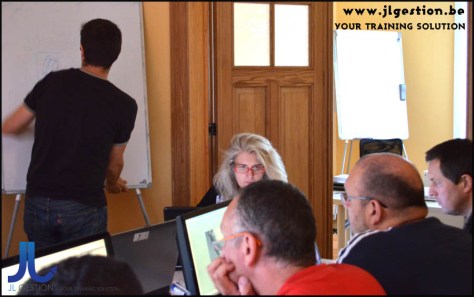
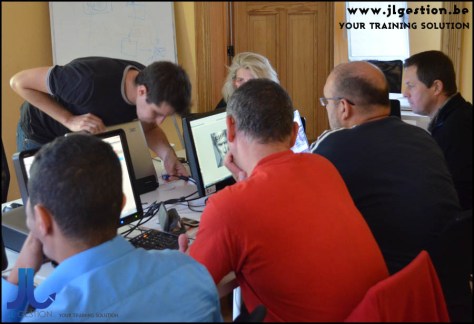
 Training-brussels - business training center in Brussels