This CXA-100-1I Providing Help Desk Support for Citrix XenApp course (also known as CXA1001I, CXA-1001I, CXA-1001, CXA1001) introduces help desk professionals to XenApp and prepares them to troubleshoot common issues. Students will learn to identify whether more complex issues are related to the XenApp product, the network or directory services.
Class goals :
Upon successful completion of this course, learners will be able to:
Describe the Citrix troubleshooting methodology
Identify the features, components, services and communications of Citrix XenApp 5.0
Describe the different management consoles
Describe Citrix administrator account privileges
Describe the components of the various published resource types, including streaming
Understand the core architecture and communications used by the Citrix XenApp Plugin for Hosted Apps
Understand the XenApp logon process and possible delays
Recognize how Active Directory policies can affect a XenApp implementation
In this Comprehensive ColdFusion 9 Training course, students will spend the first part of the week learning the basics of ColdFusion and the second part of the week learning advanced ColdFusion techniques.
Class goals :
– Learn to get data from a database and display it on the page
– Learn to insert, Edit and Delete records from a database
– Learn to pass data from one page and receive it on another using HTML Forms
– Learn to create Dynamic Form Fields including Dynamic Select Lists
– Learn to build a Search Interface
– Learn to use Session Variables to provide Password Protection
– Learn to call ColdFusion Components (CFCs) and Custom Tags
– Learn to send email with ColdFusion
– Learn to send email with ColdFusion
– Learn sophisticated data management techniques
– Learn to build and use Custom Tags
– Learn to build and use ColdFusion Components (CFCs)
– Learn to handle errors properly
– Learn to work with ColdFusion and XML
In this course, students will learn the skills necessary to configure and administer Citrix XenServer 5.6, Citrix XenCenter, and Citrix Provisioning Services 5.6. Through hands-on labs, students will gain experience configuring a XenServer virtualization server; creating XenServer resource pools and connecting to remote storage; using XenMotion and automatic virtual machine placement; and creating, assigning and administering virtual disks.
Class goals :
Upon successful completion of this course, learners are able to demonstrate the following objectives:
This course provides the foundation to manage, configure and monitor advanced features and components of Citrix NetScaler 9.0 Platinum Edition. Interactive discussion and hands-on labs guide learners through advanced administration tasks such as troubleshooting, configuring application security with the Citrix Application Firewall feature, tuning the NetScaler for high traffic, configuring Authentication Authorization and Accounting for system management, and configuring Advanced Policies using service callouts.
Class goals :
Upon successful completion of this course, learners are able to:
Identify common web attacks and vulnerabilities
Write PERL compatible regular expressions
Configure Citrix Application Firewall 9.0 to protect web applications
Troubleshoot Citrix Application Firewall 9.0
Install and configure Citrix EdgeSight for NetScaler to monitor web application performance
Install, configure, and use Citrix Command Center to manage NetScaler devices
Configure and use additional advanced features of NetScaler 9.0 including NetScaler Web Logging, HTTP Callout, and AAA authentication for web applications
Content of Advanced Administration for Citrix NetScaler 9.0 Platinum Edition
Application Attacks (Application Attack Description; Goals of Application Attacks; Most Common Types of Web Application Attacks; The Application Firewall Solution; Business Problems)
The Benefits of Application Firewall (Application Layer Protection; Positive Security Model; Negative Security Model; Deep Stream Inspection; Adaptive Learning Engine; Web Application Vulnerabilities; Security Audits and Application Firewalls)
Payment Card Industry Data Security Standard (Importance of PCI; Common Coding Vulnerabilities; PCI-DSS Report; Packet Processing and Inspection; Request Process; Response Process; Deployment Considerations)
Profiles and Policies (Profiles; Policies)
Profiles and Policies
Profiles (Profile Types; Default Profiles; Creating a Profile in the Configuration Utility; Creating a Profile in the Command-Line Interface; Action Settings; Sessionization and Security Checks; Profile Settings; Error Page; HTML Comment Stripping; XML Error Object; Other Profile Settings)
Policies (Policy Creation; Policy Binding; Policy State; Policy Priorities; Creating a Policy in the Configuration Utility; Creating Policies in the Command-Line Interface; Binding and Prioritizing a Policy in the Configuration Utility; Binding Policies in the Command-Line Interface)
Engine Settings
Regular Expressions
Regular Expressions
Forms of Regular Expressions
Using Regular Expressions
Metacharacters and Literal Characters
Metacharacters
Escapes
Quantifiers
Backreferencing
Lookaheads
Regular Expression Scope
Attacks and Protections
Security Checks (Profile Types; Common Security Checks; HTML Security Checks; XML Security Checks; Request-Side and Response-Side Checks)
HTTPS Web Applications
Buffer Overflow Exploits (Goals of a Buffer Overflow Attack; Consequences of a Buffer Overflow Attack)
Buffer Overflow Protection (Default Maximum Values; Modifying Buffer Overflow Settings)
Deny URL Protection (The Deny URL List; Adding a Deny URL in the Command-Line Interface; Deleting a Deny URL in the Command-Line Interface)
SQL Injection (How SQL Injection Works)
HTML SQL Injection Protection (SQL Keywords and Special Characters; Modifying SQL Injection Action Settings; XML SQL Injection Security Check; Cross-Site Scripting; Attacking the Trust Relationship; How Cross-Site Scripting Attacks Work; Results of a Cross-Site Scripting Attack; Preventing Cross-Site Scripting Attacks; HTML Cross-Site Scripting Protection; Cross-Site Scripting Action Settings; Transform Cross-Site Scripts; Check Complete URLs for Cross-Site Scripting; Additional Action Settings; Relaxations; Modifying Cross-Site Scripting Action Settings; Adding a Cross-Site Scripting Relaxation Using the Command-Line Interface; Deleting a Cross-Site Scripting Relaxation Using the Command-Line Interface; XML Cross-Site Scripting Security Check)
Command Injection (Command Injection Examples)
Field Format Protection (Field Types and Field Formats; Predefined Field Types; Custom Field Types; Field Format Configuration; Default Field Format; Confidential Fields; Adding a Custom Field Type; Setting a Default Field Type; Modifying Field Format Settings; Adding a Confidential Field; Modifying a Confidential Field)
Cookie Tampering and Poisoning (Types of Cookies; How Cookies Are Added; Web Server Sessions)
Cookie Consistency Protection (Sessionization and Cookies; Relaxations; Adding a Cookie Consistency Relaxation in the Command-Line Interface; Deleting a Cookie Relaxation in the Command-Line Interface)
Form/Hidden Field Manipulation (Example of Hidden Field Manipulation)
Form Field Consistency Protection (Field Consistencies; User Sessions; Adding a Form Field Consistency Relaxation Using the Command-Line Interface; Deleting a Form Field Consistency Relaxation Using the Command-Line Interface)
Forceful Browsing (Forceful Browsing Protection)
Start URLs (The Start URL List; Sessionization and Start URLs; Modify Start URL Check; Adding a Start URL in the Command-Line Interface; Deleting a Start URL in the Command-Line Interface)
Backdoors and Misconfigurations
URL Closure (Enforcing URL Closure in the Configuration Utility; Enforcing URL Closure in the Command-Line Interface)
Identity Theft Attacks (Types of Identity Theft Attacks; Application Firewall Protection Against Identity Theft)
HTTP Connection Management and NetScaler HTTP Behavior (Client Keep-Alive; Connection IP Address Control; Maximum Requests and Maximum Connections; Connection Idle Settings; Trackable Connections)
TCP Buffering (Down-State Flush and Access Down Connection Settings; TCP Optimization; Advertised Window Size; Window Scaling; Selective Acknowledgement)
Surge Queue
Surge Protection (Request and Response Rates; Throttle Rate; Disabling Surge Protection in the Configuration Utility; Disabling Surge Protection for a Service in the Configuration Utility; Setting Thresholds in the Configuration Utility)
Priority Queuing (Enabling Priority Queuing in the Configuration Utility; Creating a Priority Queuing Policy in the Configuration Utility; Binding Priority Queuing Policies in the Configuration Utility; Weighted Queuing)
HTTP Denial-of-Service Protection (Enabling HTTP DoS Protection in the Configuration Utility; Adding a HTTP DoS Policy in the Configuration Utility; Challenged JavaScript Responses; Client Detection Tuning and JavaScript Challenge Response Rate; HTTP DoS Protection Deployment Guidelines; Attack Characteristics)
IP Rate Limiting (Rate Control by Subnet Example; IP Rate Limiting Best Practices)
Authentication, Authorization, and Auditing
Users, Groups and Command Policies (Authentication, Authorization, and Auditing; Systems and AAA Users Groups; Local Accounts; External Authentication)
External Authentication for System Users (Authentication Actions and Policies; Configuring Local Authentication; Configuring External Authentication with Explicit Accounts; Configuring External Authentication with Group Extraction; Creating an External Authentication Policy; Creating local groups in the Command-Line Interface; Binding Groups in the Command-Line Interface; Creating an LDAP Authentication Action in the Command-Line Interface; Creating an Authentication Policy in the Command-Line Interface; Binding the Policy in the Command Line Interface; Authentication Troubleshooting; External Authentication Common Issues)
AAA for Traffic Management (Enabling AAA for Traffic Management; AAA for Application Traffic; Basic AAA Setup for Application Traffic; Workflow for AAA Traffic Management)
Configuration (Creating an Authentication Virtual Server; Creating an Authentication Virtual Server in the Command-Line Interface; Binding an SSL Certificate in the Command-Line Interface; Binding a Virtual Server to an Authentication Policy in the Command-Line Interface; Configuring a Virtual Server to use an Authentication Virtual Server in the Command-Line Interface; Configuring Authorization Policies for Traffic Management; Setting the Default Traffic Management Authentication Action to Deny in the Command-Line Interface; Creating an Authorization Policy to Allow Access
Audit Logging (Audit Logging Troubleshooting)
HTTP Service Callouts
HTTP Callouts
Configuring HTTP Callouts (Configuring HTTP Callouts in the Configuration Utility; Configuring HTTP Callouts in the Command-Line Interface; Callout Examples; HTTP Callout Response Parsing)
HTTP Callout Use Cases (Scenario 1: Filter Clients Based on an IP Address Blacklist; Scenario 2: Fetch and Update Content; HTTP Callout Auditing)
EdgeSight for NetScaler Server Components (Component Installation Scenarios)
EdgeSight for NetScaler Installation Considerations (Installing EdgeSight for Netscaler; SQL Server; SQL Reporting Services; EdgeSight for NetScaler Components; Installing EdgeSight Database Components; Installing EdgeSight Report Console and Data Collector Components; EdgeSight Post-Installation Wizard; Upgrading EdgeSight for NetScaler)
Reporting Services Initial Configuration (NetScaler Configuration Overview; Configuring HTML Injection; Editing the prebody.js script; Configuration Example in the Command-Line Interface; Add NetScaler System to EdgeSight for NetScaler Data Collector; Topology Data Collectors with SSL)
EdgeSight Charts and Reports
EdgeSight Troubleshooting (Troubleshooting OS Components; Troubleshooting HTML Injection; Troubleshooting Injection Request; Troubleshooting Unknown Device; Troubleshooting from the NetScaler Command-Line Interface)
Command Center
Command Center Introduction (Command Center NetScaler Features; NetScaler and WANScaler Support)
Command Center Clients (Connecting to Command Center)
Server Requirements (Disk Space Requirements; MySQL Considerations; MicrosoftSQL Server 2005 Considerations)
Port Setting Requirements (Command Center Installation; Linux Considerations; Installation; Capacity Planning; Backup; Installation Modes; Installation Considerations)
Command Center Functionality (Command Center Home Page; Discovery; Fault Management; Configuration Management; Change Management; Centralized Certificate Management; Performance Monitoring)
Command Center Administration (Security Administration; Administration Operations; Administration Configuration; Server Details)
Command Center Troubleshooting (Microsoft SQL Database Issues; Discovery Issues; Performance Data Issues; Linux Command-Line Interface Access Issues; Reporting Issues)
NetScaler Web Logging
NetScaler Web Logging Introduction (Architecture Overview; Communication Process)
NetScaler System Configuration (Enabling Web Logging in the Configuration Utility; Enabling Web Logging in the Command-Line Interface; Configuring the Buffer Size in the Configuration Utility; Configuring the Buffer Size in the Command-Line Interface)
NSWL Client Installation (Logging System Components; Installing the NSWL Client on Windows; NSWL Options; Windows Service Registry Key)
NSWL Client Configuration (NetScaler IP Addresses; Log Filters; Defining Log Properties; Running NSWL; Verifying the Configuration)
Troubleshooting Web Logging (NSWL Troubleshooting; NetScaler Troubleshooting; Buffer Overflow)
Training Advanced Administration for Citrix NetScaler 9.0 Platinum Edition
Onze voordelen :
Type of training: Inter-company, intra-company and individual
100% flexible & personalised training : You choose the place, the dates and the training program
Offer request : Response within 24 hours
50% discount for SME’s from Brussels-Capital Region
Free parking, lunch & drinks
Free use of our Digital Competence Centre: Manuals, courses, exercises, …
This CNS-203-1I Basic Administration for Citrix NetScaler 9.2 course (also known as CNS2031I, CNS-2031I, CNS-2031 and CNS2031) covers the initial configuration and administration of Citrix NetScaler 9.2. Learners gain an understanding of NetScaler features such as load balancing, SSL offload, classic and advanced expressions, caching, compression, content switching, and AppExpert templates.
Class goals :
Upon successful completion of this course, learners are able to:
Identify deployment considerations and network placement options
This CAG-200-1I Implementing Citrix Access Gateway 9.0 Enterprise Edition course (also known as CAG2001I, CAG2001, CAG-2001 and CAG-2001I) covers information administrators and other IT professionals need to successfully deploy and manage Access Gateway 9.0 Enterprise Edition and the Access Gateway Plug-ins.
Class goals :
Upon successful completion of this course, learners are able to:
Understand how the Access Gateway Enterprise Edition differs from the Standard and Advanced Editions
Perform the initial configuration of the Access Gateway server
Install Access Gateway Plug-ins for Windows, ActiveX and Java
Configure VPN virtual servers
Create policies to customize VPN behaviour
Customize client experience and login pages
Configure Access Gateway to integrate with XenApp and WANScaler
Create and configure policies and profiles
Content of Implementing Citrix Access Gateway 9.0 Enterprise Edition
Deploying the Citrix Access Gateway
Access Gateway Features
Access Gateway Product Line
Identifying Access Gateway Hardware Platforms
Identifying the Access Gateway Hardware Components
Identifying Network Placement Options
WANScaler Integration
Identifying Deployment Considerations
Performing an Initial Installation and Configuration
Access Gateway Installation
Logging in to the Access Gateway
Setting the Password
Managing Licensing
Enabling Access Gateway Features
Initial Configuration
Understanding Virtual Local Area Networks
Running the Access Gateway Wizard
Saving the Configuration
Performing Basic Administration
Access Gateway Administrative Tools
Introducing the Configuration Utility
Introducing the Command-Line Interface
Introducing FreeBSD
Using Third-Party Tools
Access Gateway Management
Performing an Upgrade
Managing Role-Based Administration
Configuring Policies
Policy Structure
Policy Types and Their Uses
Policy Expressions
Identifying Qualifiers
Identifying Operators
Identifying Operands, Wildcards and Context-Sensitive Fields
Policy Priority
Policy Manager
Using Policy Manager
Creating Policy Expressions
Configuring Access Policies
Endpoint Analysis
Configuring Pre-Authentication Policies
Authentication Policies
Configuring Authentication Policies
Authorization Policies
Configuring Authorization Policies
Session Policies
Configuring Credential Passing
Timeout Settings
Configuring Timeout Settings
Client Cleanup
Configuring Client Cleanup
Split Tunneling
Configuring Split Tunneling
Providing User Access
Plugin Options and Configuration
Displaying Client Options and the Configuration Window
Connection Methods
Deploying Access Gateway Plugins
Configuring Clientless Access
Client Software Selection
Configuring Access Choices
Customizing the User Experience
Intranet Applications
Configuring Intranet Applications
Intranet IP Addresses.
Configuring Intranet IP Addresses
Traffic Policies
Configuring Traffic Policies
TCP Compression Policies
Configuring TCP Compression Policies
Login Page Customization
Securing XenApp Connections
XenApp Overview
ICA Proxy Mode
Configuring ICA Proxy Mode
Binding the Secure Ticket Authority
Configuring Web Interface Failover
Web Interface Connections through Access Gateway
Configuring Web Interface for Access Gateway Connections
File Type Association
Configuring File Type Association
SmartAccess
Configuring SmartAccess
Configuring XenApp for SmartAccess
Configuring Access Scenario Fallback
Auditing and Logging
Syslog and Nslog Auditing
Configuring Audit Servers
Configuring Global Auditing Parameters
Configuring Auditing Policies
Binding Auditing Policies
Viewing Recent Audit Messages
Viewing Historical Audit Messages
Access Gateway Log Management
Monitoring Tool
User Connection Management
Historical Reporting
Configuring High Availability
Introduction to High Availability
High Availability Node Configuration
Configuring Nodes
Verifying High Availability Status
Performing Synchronization
Performing a Forced Failover
High Availability Management
Training Implementing Citrix Access Gateway 9.0 Enterprise Edition
Onze voordelen :
Type of training: Inter-company, intra-company and individual
100% flexible & personalised training : You choose the place, the dates and the training program
Offer request : Response within 24 hours
50% discount for SME’s from Brussels-Capital Region
Free parking, lunch & drinks
Free use of our Digital Competence Centre: Manuals, courses, exercises, …
This CTX1259CI course (also known as: CTX-1259, CTX1259, CTX-1259CI) provides the foundation necessary to effectively deploy and administer Citrix XenApp 5 for Windows Server 2003 and its components, including Web Interface, Application Streaming, Load Manager, Installation Manager and Secure Gateway.
Class goals :
Upon successful completion of this Citrix course, learners are able to perform the following:
Install XenApp in a Windows Server 2003 environment
Install and distribute Citrix XenApp Plugins
Create and customize Web Interface sites
Publish applications, server desktops and content
Configure XenApp Web and XenApp Services sites
Configure, apply and prioritize policies in a XenApp environment
Create and assign load evaluators
Configure printers and printer policies and manage print drivers and printer bandwidth
Create and configure XenApp administrator accounts and their permissions
Configure HDX settings
Configure SecureICA encryption, SSL Relay and Secure Gateway
Install and distribute applications, service packs and hotfixes
Content of Citrix XenApp 5 for Windows Server 2003: Administration
In this course, students will design and manage basic diagrams, workflows, and flowcharts.
Class goals :
Upon successful completion of this course, students will be able to: – get familiar with the Visio interface, and create a basic Visio document. – create a route map by using Visio features to work with shapes and text. – enhance a basic diagram. – create process diagrams using Visio’s flowcharting and workflow diagram creation features. – represent an organization hierarchy as a Visio diagram.
Content of Microsoft Visio Professional 2010 – Level 1
Lesson 1: Getting Started with Visio 2010
Explore the Visio Interface
Customizing the Visio Interface
Starting a New Diagram
In this course, students will create custom elements and a custom template, represent external data as a drawing, and share your work with others.
Class goals :
Upon successful completion of this course, students will be able to: – create a custom shape. – design a custom stencil. – design styles and templates. – design a floor plan. – represent external data in Visio. – share your work.
Content of Microsoft Visio Professional 2010 – Level 2
Lesson 1: Creating a Custom Shape
Draw Basic Shapes
Enhance Basic Shapes
Lesson 2: Designing a Custom Stencil
Create a Custom Stencil
Customize a Stencil Master
Lesson 3: Designing Styles and Templates
Define a New Style
Create a Template
Lesson 4: Designing a Floor Plan
Create an Office Layout
Work with Layers
Lesson 5: Representing External Data in Visio
Generate a PivotDiagram
Create an Organization Chart from External Data
Import Project Plan Data into Visio
Link to a Database
Import Excel Data
Lesson 6: Sharing Your Drawings
Link a Visio Drawing to Other Applications
Convert a Visio Drawing to Other File Formats
Print a Visio Drawing
Training Microsoft Visio Professional 2010 – Level 2
Onze voordelen :
Type of training: Inter-company, intra-company and individual
100% flexible & personalised training : You choose the place, the dates and the training program
Offer request : Response within 24 hours
50% discount for SME’s from Brussels-Capital Region
Free parking, lunch & drinks
Free use of our Digital Competence Centre: Manuals, courses, exercises, …
In this course, students will create custom elements and a custom template, represent external data as a drawing, and share your work with others.
In this course, students learn the essentials of Visio. They design and manage basic diagrams, workflows, and flowcharts.
Class goals :
Upon successful completion of this course, students will be able to: – explore the Visio 2007 interface. – create a route map. – enhance a basic diagram. – create process diagrams. – create an organization chart.
Content of Microsoft Visio Professional 2007 – Level 1
Lesson 1: Getting Started with Visio 2007
Explore the Visio Interface
Get Help in Visio
Lesson 2: Creating a Route Map
Add Shapes to a Drawing
Manipulate Shapes
Add Text
Format Text
Change the Stacking Order
Lesson 3: Enhancing a Basic Diagram
Manage Shapes
Format Shapes
Lesson 4: Creating Process Diagrams
Create a Flowchart
Apply Page Styles
Create a Cross-Functional Flowchart
Create a Workflow Diagram
Lesson 5: Representing an Organizational Hierarchy
Create an Organization Chart
Modify an Organization Chart
Training Microsoft Visio Professional 2007 – Level 1
Onze voordelen :
Type of training: Inter-company, intra-company and individual
100% flexible & personalised training : You choose the place, the dates and the training program
Offer request : Response within 24 hours
50% discount for SME’s from Brussels-Capital Region
Free parking, lunch & drinks
Free use of our Digital Competence Centre: Manuals, courses, exercises, …
In this course, students learn the essentials of Visio. They design and manage basic diagrams, workflows, and flowcharts.








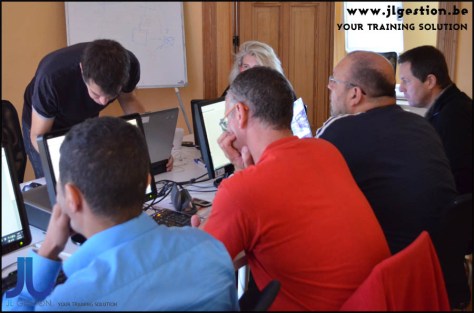


 Training-brussels - business training center in Brussels