Agile software development practices are now so widespread that they are no longer considered ‘extreme’. However, many organisations and agile teams still struggle with how to do successful testing on an agile development project.
Class goals :
On completion of this course you will understand agile projects and how they represent a highly collaborative approach to software development. Through interactive sessions you will have gained practical exposure to the common processes of agile including:
Planning Iterations
Task Estimation
Prioritising tasks by business value
Using acceptance tests to drive development
Content of Introduction to Agile Testing
Introduction to Agile Software Development
Becoming Agile – Why Agile projects are different
A New approach to the project plan
The Agile Alliance & ‘Manifesto’
Features & characteristics of Agile methods
Business imperatives
Agile in context – conditions for success
Dispelling popular Agile myths
Examined: XP and Lean Development
Traditional problems, new solutions
Key practices
Agile Testing Strategies
An agile testing metaphor: hitting a moving target
Implications of Agile for testing strategies
Aligning the test cycle with the development cycle
Automation, automation, automation
Test-Driven Development
Testing Visibly
Defect Management and Triage
Exploratory Testing
The Agile Game
A fun, interactive session to explore Agile principles
Agile Tools and Techniques – an Overview
Test-Driven Development with xUnit
Continuous Integration with CruiseControl
Acceptance Testing with FIT
Training Introduction to Agile Testing
Onze voordelen :
Type of training: Inter-company, intra-company and individual
100% flexible & personalised training : You choose the place, the dates and the training program
Offer request : Response within 24 hours
50% discount for SME’s from Brussels-Capital Region
Free parking, lunch & drinks
Free use of our Digital Competence Centre: Manuals, courses, exercises, …
This Oracle training course is designed for students new to writing SQL queries with Oracle. The SQL learned in this course is standard to all modern databases, but Oracle will be used in class and syntax and functionality specific to Oracle will be pointed out.
Class goals :
– Understand how Oracle works
– Learn to use Oracle to output reports
– Learn to write queries getting data from multiple tables.
Content of Training SQL using Oracle / Introduction
Relational Database Basics
Brief History of SQL
Relational Databases
Tables
Rows
Columns
Relationships
Datatypes
Primary Keys
Foreign Keys
Relational Database Management System
Popular Databases
Commercial Databases
Popular Open Source Databases
Valid Object References
SQL Statements
Database Manipulation Language (DML)
Database Definition Language (DDL)
Database Control Language (DCL)
Simple SELECTs
Introduction to the Northwind Database
Some Basics
Comments
Whitespace and Semi-colons
Case Sensitivity
SELECTing All Columns in All Rows
Exploring the Tables
SELECTing Specific Columns
Sorting Records
Sorting By a Single Column
Sorting By Multiple Columns
Sorting By Column Position
Ascending and Descending Sorts
The WHERE Clause and Operator Symbols
Checking for Equality
Checking for Inequality
Checking for Greater or Less Than
Checking for NULL
WHERE and ORDER BY
Using the WHERE clause to check for equality or inequality
Using the WHERE clause to check for greater or less than
Checking for NULL
Using WHERE and ORDER BY Together
The WHERE Clause and Operator Words
The BETWEEN Operator
The IN Operator
The LIKE Operator
The NOT Operator
More SELECTs with WHERE
Checking Multiple Conditions
AND
OR
Order of Evaluation
Writing SELECTs with Multiple Conditions
Advanced SELECTs
Calculated Fields
Concatenation
Mathematical Calculations
Aliases
Calculating Fields
Aggregate Functions and Grouping
Aggregate Functions
Grouping Data
Selecting Distinct Records
Working with Aggregate Functions
Built-in Data Manipulation Functions
Common Math Functions
Common String Functions
Common Date Functions
Data Manipulation Functions
Subqueries, Joins and Unions
Subqueries
Joins
Table Aliases
Multi-table Joins
Using Joins
Outer Joins
Unions
UNION ALL
UNION Rules
Working with Unions
Conditional Processing with CASE
Working with CASE
(If time allows) Challenge lab
Create your own SQL reports from the Northwind database
Training SQL using Oracle / Introduction
Onze voordelen :
Type of training: Inter-company, intra-company and individual
100% flexible & personalised training : You choose the place, the dates and the training program
Offer request : Response within 24 hours
50% discount for SME’s from Brussels-Capital Region
Free parking, lunch & drinks
Free use of our Digital Competence Centre: Manuals, courses, exercises, …
In this Perl training course, students will learn to program effectively in Perl.
Class goals :
Learn to work with variables, arrays and hashes in Perl
Learn to write flow control statements in Perl
Learn to manipulate files with Perl
Learn to use Perl’s Regular Expressions
Learn to create complex data structures with Perl
Learn to use Perl packages and modules
Learn to work with Perl’s object-oriented features
Learn to write subroutines in Perl
Content of Training Perl for Unix / Introduction
Class Outline
Overview of Perl
What is Perl?
Running Perl Programs
Sample Program
Another Sample Program
Yet Another Example
Perl Variables
Three Data Types
Variable Names and Syntax
Variable Naming
Lists
Scalar and List Contexts
The Repetition Operator
Arrays and Hashes in Perl
Arrays
Array Functions
The foreach Loop
The @ARGV Array
The grep Function
Array Slices
Hashes
Hash Functions
Scalar and List Contexts Revisited
Quoting and Interpolation in Perl
String Literals
Interpolation
Array Substitution and Join
Backslashes and Single Quotes
Quotation Operators
Command Substitution
Here Documents
Perl Operators
Perl Operators
Operators, Functions and Precedence
File Test Operators
Assignment Operator Notations
The Range Operator
Flow Control in Perl
Simple Statements
Simple Statement Modifiers
Compound Statements
The next, last, and redo Statements
The for Loop
The foreach Loop
I/O: Input Operations and File I/O with Perl
Overview of File I/O
The open Function
The Input Operator < >
Default Input Operator
The print Function
Reading Directories
Regular Expressions in Perl
Pattern Matching Overview
The Substitution Operator
Regular Expressions
Special Characters
Quantifiers (*, +, ?, {})
Assertions (^, $, b, B)
Advanced Regular Expressions in Perl
Substrings
Substrings in List Context
RE Special Variables
RE Options
Multi-line REs
Substituting with an Expression
Perl RE Extensions
Subroutines in Perl
Overview of Subroutines
Passing Arguments
Private Variables
Returning Values
References
References
Creating References
Using References
Passing References as Arguments to Subroutines
Anonymous Composers
The Symbol Table
Complex Data Structures in Perl
Two-dimensional Arrays in Perl
Anonymous Arrays and Anonymous Hashes
Arrays of Arrays
Arrays of References
A Hash of Arrays
A Hash of Hashes
And So On…
Perl Packages and Modules
Packages
BEGIN and END Routines
require vs. use
Modules
The bless Function
Introduction to Object-Oriented Programming in Perl
What is Object-Oriented?
Why Use Object-Oriented Programming?
Classes, Objects, and Methods in Perl
Inheritance, the « is-a » Relationship
Containment, the « has-a » Relationship
Overloaded Operators
Destructors
Binary Data Structures in Perl
Variable-Length (Delimited) Fields
Variable vs. Fixed
Handling Binary Data
The pack Function
The unpack Function
The read Function
C Data Structures
Multitasking with Perl
What are Single and Multitasking?
UNIX Multitasking Concepts
Process Creation with fork
Program Loading with exec
File Descriptor Inheritance
How UNIX Opens Files
One-Way Data Flow – Pipes
Example
Final Result – Page Viewing
Sockets Programming in Perl
Clients and Servers
Ports and Services
Berkeley Sockets
Data Structures of the Sockets API
Socket System Calls
Generic Client/Server Models
A Client/ServerExample
A Little Web Server
Training Perl for Unix / Introduction
Onze voordelen :
Type of training: Inter-company, intra-company and individual
100% flexible & personalised training : You choose the place, the dates and the training program
Offer request : Response within 24 hours
50% discount for SME’s from Brussels-Capital Region
Free parking, lunch & drinks
Free use of our Digital Competence Centre: Manuals, courses, exercises, …
This Google Apps training will empower your team to work with the different Apps included in the Google Apps suite for businesses. This course will teach your team how to effectively set up and use Gmail, Google Calendar and Google Docs. After taking this Google Apps course your team will be able to leverage the different collaboration tools available in Google Apps which are geared towards making your communication process more effective and productive.
Class goals :
Learn the differences and advantages of web-based Gmail vs. traditional client based email systems.
Learn the concept of threaded conversation in Gmail.
Learn the features available in Gmail to effectively organize your inbox.
Learn to compose an email message in Gmail.
Learn how to tweak settings in Gmail to personalize your account.
Learn how to setup vacation responder in Gmail.
Learn how to use collaboration tools with Gmail (e.g. Presence, Audio and Video Chat).
Learn how to configure your Gmail account with third party email clients (e.g. MS Outlook).
Learn how to install different add-on tools to enhance your Gmail account.
Learn how to use Google Calendar.
Learn how to schedule a meeting in Google Calendar and invite others.
Learn how to share your Google Calendar with your colleagues.
Learn how to add multiple calendars and personalize settings in Google Calendar.
Learn the benefits of using Google Docs.
Learn how to create and share text documents, presentations and spreadsheets using Google Docs.
Learn how to create and share forms using Google Docs.
Learn how to manage and organize your Google Docs.
Learn best practices for using Google Apps.
Content of Training Google Apps / Introduction
Class Outline
Gmail for Enterprise
Navigation and User Interface
What’s so different about Gmail?
Understanding threaded conversation
Organizing your inbox in Gmail, Where are my folders?
Creating and using Labels in Gmail
Archiving messages
Using the star function
Using search to find your email
Setting up filters to auto-organize your inbox
Composing new email in Gmail
Composing messages in a new window
Formatting your message and using spell check
Attaching a file
Saving an email as a draft
Tweaking Gmail Settings
Adding your signature
Setting up vacation responder
Adding a face to your email address
Changing your Gmail password
Advanced Collaboration Features
Understanding the concept of presence
Using chat for collaboration
Setting up audio/video collaboration
Managing your contacts in Gmail
Advanced Settings in Gmail
Using Gmail from external email client (e.g. MS Outlook)
Leveraging Google Labs to enhance your account
Using security features in Gmail
Google Calendar
Understanding navigation and user Interface
How to schedule an appointment in Google Calendar
How to create a task in Google Calendar
Inviting others to join your meeting
Sharing your Google Calendar with co-workers
Using search to find events in your Google Calendar
Tweaking Google Calendar default settings
Google Docs
Benefits of using Google Docs
Working with Google Docs
Creating and sharing a text document
Creating and sharing a presentation
Creating and sharing a spreadsheet
Creating and sharing a form
Using drawing tools as a white board
Use templates to create your Google Doc
Managing your Google Docs
Creating Folders
Uploading existing documents to your Google Docs
Renaming and deleting your Google Docs
Searching and finding your Google Docs
Best practices and tips for using Google Apps
Training Google Apps / Introduction
Onze voordelen :
Type of training: Inter-company, intra-company and individual
100% flexible & personalised training : You choose the place, the dates and the training program
Offer request : Response within 24 hours
50% discount for SME’s from Brussels-Capital Region
Free parking, lunch & drinks
Free use of our Digital Competence Centre: Manuals, courses, exercises, …
This Google AdWords course is designed to introduce you to the world of search engine marketing (SEM) and familiarize you with the Google AdWords tool. This AdWords Basic course will teach you how to leverage Google AdWords to best serve your online marketing needs. The unique feature of this Google AdWords training is that it includes hands-on interactive exercises empowering students to productively use Google AdWords on their own website right away.
Class goals :
Learn fundamentals of search engine marketing.
Learn step-by-step process for running online marketing campaigns in Google AdWords.
Learn the key features and capabilities of Google AdWords.
Learn to navigate through Google AdWords user interface.
Learn how to set up accounts, Ad campaigns, and Ad groups in Google AdWords.
Learn key strategies and tools to build targeted keyword lists.
Learn how to write Ads within Google AdWords.
Learn how to track Ad performance within Google AdWords.
Learn how to integrate Google Analytics with your Google AdWords account.
Learn how to leverage Google Analytics features for optimizing your marketing initiative.
Content of Training Google AdWords / Introduction
Class Outline
Introduction to Online Marketing
Online Marketing Trends, A Historical Overview
Understanding Search Engine Marketing (SEM)
Advantages of SEM Over Other Marketing Methods
Snap-Shot of SEM Industry
Key Terminologies in SEM
Understanding SEM Lingo
Search Network
Content Network
PPC
CPC
Creative
Landing Page
Impressions
Click through Rate
Ad Rank
Quality Score
Getting Started With Google AdWords
Introduction to Google AdWords
Scope of Google AdWords
Difference Between Google AdWords and Google AdSense
Navigating Google AdWords
Introduction to Old and New AdWords Interface
Google AdWords Setup
Understanding the Account Setup Process
Understanding Account Structure
Campaigns
Ad Groups
Keywords
Understanding Account Setting Options
Understanding AdWords Billing
Building Keywords Lists
Keyword Building Strategy
Creating Different Buckets of Keywords
Exploring Keyword Generation Tools
Understanding Keyword Match Type
Ad Campaigns in Google AdWords
Creating Ad Campaigns
Creating Ad Groups
Managing Ad campaigns and Ad groups
Creating Text Ads in Google AdWords
Key Strategies for Effective Ad Writing
Specifications for Ads Within AdWords
Tracking Ad Performance
Interpreting key Metrics Within Google AdWords
Testing Ad Performance
Generating Reports Within Google AdWords Report Center
Google Analytics and AdWords
Linking AdWords With Google Analytics
Leveraging AdWords Reports in Google Analytics
AdWords Campaign Report
Keyword Positions Report
Keywords Report
Filtering AdWords Related Data
Leveraging Goals and Funnels to Measure Conversion
Training Google AdWords / Introduction
Onze voordelen :
Type of training: Inter-company, intra-company and individual
100% flexible & personalised training : You choose the place, the dates and the training program
Offer request : Response within 24 hours
50% discount for SME’s from Brussels-Capital Region
Free parking, lunch & drinks
Free use of our Digital Competence Centre: Manuals, courses, exercises, …
This Google Analytics class is designed to provide you with in-depth knowledge about various features available in Google Analytics tool and how to leverage them to best serve your business needs. The course begins with introductory chapters to provide a strong foundation to students.
Class goals :
Learn the fundamentals of web metrics and web analytics.
Learn what web analytics can do for your business.
Learn common web analytics methodologies suitable for different types of websites.
Learn how Google Analytics works.
Learn the key features and capabilities of Google Analytics.
Learn to set up a Google Analytics accounts and profiles.
Learn access management techniques for your Google Analytics accounts and profiles.
Lean how to generate reports in Google Analytics (visitors reports, traffic sources reports, content reports, goals report.)
Learn to analyze default reports in Google Analytics to interpret web metrics data.
Learn to create and apply filters in Google Analytics.
Learn best practices for setting filters in Google Analytics.
Learn to create goals and funnels in Google Analytics.
Learn to interpret reports for analyzing goals and funnels in Google Analytics.
Content of Training Google Analytics / Introduction
Class Outline
Overview and Background of Web Analytics
Introduction to Web Analytics
Why Learn Web Analytics: Analytics vs. Reporting
Fundamentals of Web Analytics
Introduction to Google Analytics
Basics of Google Analytics
Getting Started with Google Analytics
Access Management
Reports in Google Analytics
Introduction to Reports in Google Analytics
Understanding the Report Layout
Exporting Your Data from Google Analytics
Digging into Reports
Visitors Report Demystified
Traffic Sources Report Demystified
Understanding Filters in Google Analytics
Introduction to Filters
Overview of Different Types of Filters
Goals in Google Analytics
Introduction to Goals
Configuring Goals
Analyzing Goals Using Standard Reports
Funnels in Google Analytics
Introduction to Funnels
Building a Funnel in Google Analytics
Funnel Virtualization Report
Integrating Google Analytics with Google AdWords
Tracking Online Marketing Campaigns through Google Analytics
Training Google Analytics / Introduction
Onze voordelen :
Type of training: Inter-company, intra-company and individual
100% flexible & personalised training : You choose the place, the dates and the training program
Offer request : Response within 24 hours
50% discount for SME’s from Brussels-Capital Region
Free parking, lunch & drinks
Free use of our Digital Competence Centre: Manuals, courses, exercises, …
This Microsoft ASP.NET training class provides web developers with the knowledge and skills to develop Web applications by using Microsoft Visual Studio 2010.
This ASP.NET class is intended for Web developers who know HTML and have at least some knowledge of a scripting language such as JScript/JavaScript or VBScript.
Class goals :
Explore ASP.NET Web applications in Microsoft Visual Studio 2010.
Learn to create Web applications by using Microsoft Visual Studio 2010 and Microsoft .NET based languages.
Learn to create a Microsoft ASP.NET Web Form.
Learn to add functionality to a Microsoft ASP.NET Web Form.
Learn to implement master pages and user controls.
Learn to validate user input.
Learn to debug Microsoft ASP.NET Web applications.
Learn to manage data in an ASP.NET 3.5 Web application.
Learn to manage data access tasks by using LINQ.
Learn to manage data by using ASP.NET Dynamic Data.
Learn to create a Microsoft ASP.NET AJAX application.
Learn to consume and Windows Communication Foundation (WCF) services.
Learn to manage state in Web applications.
Learn to configure and deploy a Microsoft ASP.NET Web application.
Learn to secure a Microsoft ASP.NET Web application.
Learn to implement new technologies supported by Visual Studio 2010 for Web development.
Content of Training Visual Studio 2010 / Introduction
Class Outline
Exploring Microsoft ASP.NET Web Applications in Microsoft Visual Studio 2010
Introduction to the .NET Framework
Overview of ASP.NET
Overview of the Lab Application
Lab : There are no labs for this module
Creating Web Applications by Using Microsoft Visual Studio 2010 and Microsoft .NET Based Languages
Choosing a Programming Language
Overview of Visual Studio 2010
Creating a Simple Web Application
Lab : Creating Web Applications by Using Microsoft Visual Studio 2010 and Microsoft .NET Based Languages
Exercise 1: Creating an ASP.NET Web Site
Exercise 2: Adding and Configuring Server Controls in Web Forms
Exercise 3: Building and Deploying an ASP.NET Web Application
Creating a Microsoft ASP.NET Web Form
Creating Web Forms
Adding and Configuring Server Controls in a Web Form
Lab : Creating a Microsoft ASP.NET Web Form
Exercise 1: Creating a Web Form
Exercise 2: Adding and Configuring Server Controls in a Web Form
Adding Functionality to a Microsoft ASP.NET Web Form
Working with Code-Behind Files
Handling Server Control Events
Creating Classes and Components by Using Visual Studio 2010
Handling Page Events
Lab : Adding Functionality to a Microsoft ASP.NET Web Form
Exercise 1: Implementing Code in a Web Application
Exercise 2: Creating Event Procedures
Exercise 3: Creating an Entity Component
Exercise 4: Handling Page and Control Events
Implementing Master Pages and User Controls
Creating Master Pages
Adding User Controls to an ASP.NET Web Form
Lab : Implementing Master Pages and User Controls
Exercise 1: Adding and Applying a Master Page
Exercise 2: Converting Web Forms to Content Pages and User Controls
Validating User Input
Overview of User Input Validation
ASP.NET Validation Controls
Validating Web Forms
Lab : Validating User Input
Exercise 1: Adding Validation Controls
Exercise 2: Configuring Validation Controls
Exercise 3: Adding Server-Side Validation
Troubleshooting Microsoft ASP.NET Web Applications
Debugging in ASP.NET
Tracing in ASP.NET
Lab : Debugging Microsoft ASP.NET Web Applications
Exercise 1: Debugging a Web Application
Exercise 2: Tracing a Web Application
Managing Data in an Microsoft ASP.NET 4.0 Web Application
Overview of ADO.NET
Connecting to a Database
Managing Data
Lab : Managing Data in an ASP.NET 4.0 Web Application
Exercise 1: Connecting to a Data Source
Exercise 2: Binding a Server Control to a Data Source
Exercise 3: Modifying a Data Source
Managing Data Access Tasks by Using LINQ
Overview of LINQ
Managing XML Data by Using LINQ to XML
Managing SQL Data by Using LINQ to SQL and LINQ to Entities
Lab : Managing Data Access Tasks by Using LINQ
Exercise 1: Loading Data by Using the XmlDataSource Control
Exercise 2: Displaying Data by Using LINQ to XML
Exercise 3: Saving Data by Using LINQ to Entities
Managing Data by Using Microsoft ASP.NET Dynamic Data
Overview of ASP.NET Dynamic Data
Applying ASP.NET Dynamic Data
Customizing ASP.NET Dynamic Data Applications
Lab : Managing Data by Using ASP.NET Dynamic Data
Exercise 1: Adding Dynamic Data to an Existing Web Site
Exercise 2: Registering LINQ to Entities by Using Dynamic Data
Exercise 3: Map, Clean and Test Solution
Creating a Microsoft ASP.NET Ajax-enabled Web Forms Application
Introduction to Ajax
Creating an ASP.NET Ajax Application by Using the Ajax Features for ASP.NET
Extending an ASP.NET Web Forms Application by Using the Ajax Control Toolkit
Lab : Creating a Microsoft ASP.NET Ajax-Enabled Web Forms Application
Exercise 1: Creating a Modal About Box
Exercise 2: Customizing Dynamic Data Field Templates with Ajax Server Controls
Exercise 3: Adding the Country Import Progress Indicator
Consuming Microsoft Windows Communication Foundation Services
Overview of Windows Communication Foundation Services
Calling Windows Communication Foundation Services
Working with WCF Data Services
Lab : Consuming Windows Communication Foundation Services
Exercise 1: Creating a WCF Service Reference Proxy
Exercise 2: Calling a WCF Service Method from a Web Form
Exercise 3: Implementing WCF Data Services
Managing State in Web Applications
State Management
ASP.NET Profiles
ASP.NET Caching
Lab : Managing State in Web Applications
Exercise 1: Examining the View State
Exercise 2: Caching Countries
Exercise 3: Displaying Visitors Counter on Default Page
Configuring and Deploying a Microsoft ASP.NET Web Application
Configuring an ASP.NET Web Application
Deploying an ASP.NET Web Application
Lab : Configuring and Deploying a Microsoft ASP.NET Web Application
Configuring the List View Page Size and Enabling the Save Countries Button
Configuring the Visitor Counter
Deploying the Web Application
Securing a Microsoft ASP.NET Web Application
Overview of Web Application Security
Declaratively Configuring Authentication and Authorization
Working Programmatically with Authentication and Authorization
Lab : Securing a Microsoft ASP.NET Web Application
Exercise 1: Enabling Forms Authentication
Exercise 2: Implementing Authorization
Exercise 3: Protecting Configuration File
Implementing Advanced Technologies Supported by Microsoft Visual Studio 2010 for Web Development
Working with the ASP.NET MVC 2 Framework
Working with Silverlight 4
Lab : Implementing Advanced Technologies Supported by Microsoft Visual Studio 2010 for Web Development
Exercise: Implementing a Silverlight Application
Training Visual Studio 2010 / Introduction
Onze voordelen :
Type of training: Inter-company, intra-company and individual
100% flexible & personalised training : You choose the place, the dates and the training program
Offer request : Response within 24 hours
50% discount for SME’s from Brussels-Capital Region
Free parking, lunch & drinks
Free use of our Digital Competence Centre: Manuals, courses, exercises, …
In this ASP training course, students will learn to build full-featured, database-driven Web sites. This introductory course for new programmers lays out the basics of server-side Web programming with an introduction to classic programming structures and good programming practices. Students will apply these programming skills to the development of a fully functional data-driven website with ASP written in VBScript.
Class goals :
Learn how ASP works
Learn the basic syntax of ASP
Learn to create dynamic interactive pages with ASP
Learn to work with VBScript control structures
Learn to use VBScript built-in functions
Learn to work with ASP’s built-in objects
Learn to validate forms with ASP
Learn to write functions and subroutines in ASP
Learn to work with ASP Session, Application, and Cookie objects
Learn to connect to a database with ASP
Learn to send email with ASP
Content of Training Active Server Pages / Introduction
Class Outline
Active Server Pages: A Web Server-Side Technology
Client-side vs. Server-side Web Technologies
The Web’s Client-Server Relationship
Which Web Servers Support Active Server Pages?
Writing ASP Pages
ASP Code in an HTML Context
ASP Code is « Language Neutral »
VBScript in ASP
ASP Scriptlets
VBScript Strings
An Abbreviation for Response.Write
Developing ASPs
ASP Directives, Statements, Expressions and Comments
VBScript Flexibility and Good Programming Practices
Processing Data from Online Forms
The FORM Tag and its Attributes
ASP Objects
The Request and Response Objects
Scalar Variables in ASP
Customizing a Page for the Visitor
Conditional Constructs – IF Statements
Comparison Operators in VBScript
Adding an Else Clause
Implementing an IF…ELSE…END IF Conditional
Adding One or More ELSEIF Clauses
The Logical AND and OR
Combining the Form and its Processing Code in One ASP File
Working with Cookies
Setting and Retrieving a Cookie
Cookie Properties
Expiring a Cookie
Maintaining State with the Session and Application Objects
The Session Object
Storing and Retrieving Values in the Session Object
Session Properties and Methods
The Application Object
Working with Components
Instantiating Component Objects
Sending Email with CDONTS
Writing to a Text File
Writing to a Tab-Delimited Text File
Loop Structures in ASP
For…Next Loops
Populating Select Lists
Collections in ASP
For Each…Next Loops and Collections
ASP-to-Database Integration with ADO
Database Commands with SQL
The ADO Object Model
Retrieving a Record from the Database with ASP
The Connection Object’s Execute Method
Building an Interface for Updating Client Records
VBScript Subroutines and Functions
Subroutines
Functions
Drilling Down and the Query String
Building the Query String into a Link
Generating Drill Down Links Dynamically
Building an Interface for Deleting a Record
Training Active Server Pages / Introduction
Onze voordelen :
Type of training: Inter-company, intra-company and individual
100% flexible & personalised training : You choose the place, the dates and the training program
Offer request : Response within 24 hours
50% discount for SME’s from Brussels-Capital Region
Free parking, lunch & drinks
Free use of our Digital Competence Centre: Manuals, courses, exercises, …
Organisations use reporting tools to access data sources and generate customised reports. Crystal Reports 2008 enhances report building and report processing techniques with a slew of features that add value to your presentation. In this course, you will create a basic report by connecting to a database and modifying its presentation.
Class goals :
After completing this course, students should be able to:
Explore the Crystal Reports interface
Create a basic report and modify it
Use formulas for filtering data
Build a parameterized report
Group report data
Enhance a report
Create a report using data sourced from an Excel database
Distribute data
Content of Crystal Reports 2008 Level 1
Lesson 1: Exploring the Crystal Reports 2008 Interface
Lesson 2: Working with Reports
Lesson 3: Using Formulas in Reports
Lesson 4: Building Parameterized Reports
Lesson 5: Grouping Report Data
Lesson 6: Enhancing a Report
Lesson 7: Creating a Report from Excel Data
Lesson 8: Distributing Data
Appendix A: Up and Configuring Data Sources
Appendix B: Using Report Processing Techniques
Appendix C: Using Functions in Formulas
Training Crystal Reports 2008 Level 1
Onze voordelen :
Type of training: Inter-company, intra-company and individual
100% flexible & personalised training : You choose the place, the dates and the training program
Offer request : Response within 24 hours
50% discount for SME’s from Brussels-Capital Region
Free parking, lunch & drinks
Free use of our Digital Competence Centre: Manuals, courses, exercises, …
Crystal Reports 11 Level 1 is the first course in the Crystal Reports 11 series. In this course, you will build basic list and group reports that work with almost any database.
Class goals :
After completing this course, students should be able to:
Create a list report by using data from an existing database
Locate and present data in a specified order
Create groups to summarize report data
Build formulas to add non-database data to a report and display data differently
Format reports
Enhance reports by adding and modifying elements in a report
Create single data series charts
Distribute report data to other users
Content of Crystal Reports Version 11 Introduction
Creating a Report
Set Default Report Settings
Specify Fields for a New Report
Preview the Report
Modify Field Display
Add a Report Title
Position Fields
Add Fields from Additional Tables
Displaying Specific Report Data
Find Data
Sort Data
Filter Data by Single Criterion
Grouping Report Data
Insert a Group
Add Summaries
Format Summary Information
Change Group Options
Add an Additional Group
Filter by Group
Create a Top N Sort Group
Building Formulas
Write a Formula
Create a Formula
Edit a Formula
Combine Fields by Formula
Delete a Formula
Filter Data by Multiple Criteria
Modify a Filter Using an OR Operator
Create a Parameter Field
Account for Null Fields in a Formula
Formatting Reports
Remove White Space
Insert Page Header/Footer Data
Add Borders, Boxes, and Lines
Change Field Background Color
Change the Margins
Enhancing Reports
Add a Watermark
Insert Objects Using Object Linking and Embedding
Modify Formatting Based on Data Value
Suppress Report Sections
Insert Hyperlinks
Hide Blank Report Sections
Creating and Modifying Pie Charts
Create a Pie Chart with a Drill-down
Modify Chart Text
Format a Chart
Present a Chart by Group
Distributing Data
Export to PDF
Export to Microsoft Excel File
Export to an Microsoft Access Database File
Create a Report Definition
Create Mailing Labels
Training Crystal Reports Version 11 Introduction
Onze voordelen :
Type of training: Inter-company, intra-company and individual
100% flexible & personalised training : You choose the place, the dates and the training program
Offer request : Response within 24 hours
50% discount for SME’s from Brussels-Capital Region
Free parking, lunch & drinks
Free use of our Digital Competence Centre: Manuals, courses, exercises, …





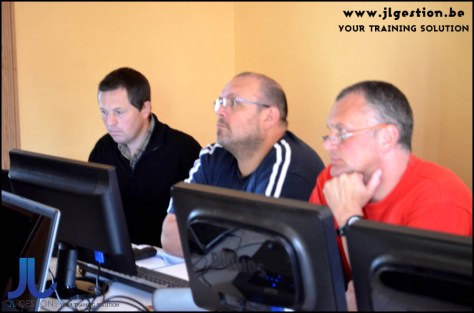
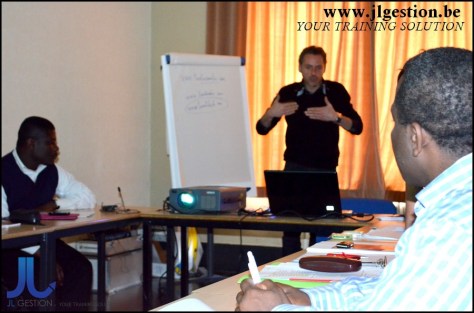



 Training-brussels - business training center in Brussels