This course shows how to manage the Lotus Notes calendar for Appointments, Reminders, and other events. Users also learn how to create and manage a list of To Do items and assign To Do tasks to co-workers.
Class goals :
View the calendar and its entries
Set Appointments, Reminders, and To Do items
Manage calendar entries
Manage To Do tasks and assignments
Print calendars
Set calendar preferences
Content of Lotus Notes R5 Series: Using the Calendar
Looking at the Calendar
Setting Appointments and Reminders
Editing and Managing Entries
Managing Tasks
Calendar Printing and Options
Training Lotus Notes R5 Series
Onze voordelen :
Type of training: Inter-company, intra-company and individual
100% flexible & personalised training : You choose the place, the dates and the training program
Offer request : Response within 24 hours
50% discount for SME’s from Brussels-Capital Region
Free parking, lunch & drinks
Free use of our Digital Competence Centre: Manuals, courses, exercises, …
This course provides users with information on how to protect data on their computer and overcome potential problems in addition to offering tips on how to maximize the efficiency of their PC.
Class goals :
Back up files
Use System Restore and Safe Mode
Handle viruses and other issues
Troubleshoot common problems
Identify common mistakes and helpful tips
Content of Introduction to PCs Series: Troubleshooting and Tips
Using the Emergency Boot Disk
Backing Up Your Files
Dealing with Viruses
Using System Restore
Checking Your PC for Trouble
Using Safe Mode
Checking for Device Conflicts
Restoring a Device Driver
Troubleshooting Startup Problems
Identifying Sources for Help
Identifying Ten Common Mistakes
Identifying Ten Smart Purchases
Top Ten Tips from a Guru
Training Introduction to PCs Series
Onze voordelen :
Type of training: Inter-company, intra-company and individual
100% flexible & personalised training : You choose the place, the dates and the training program
Offer request : Response within 24 hours
50% discount for SME’s from Brussels-Capital Region
Free parking, lunch & drinks
Free use of our Digital Competence Centre: Manuals, courses, exercises, …
In this Adobe After Effects training course, students new to After Effects CC will learn to create motion graphics and visual effects. It is packed with hands-on exercises so that students can learn by doing.
Class goals :
Get familiar with the After Effects CC work area.
Learn to create and understand Comps.
Learn to work with Keyframes.
Learn Layers, Effects, and Modes.
Learn to work with Masks and Mattes.
Learn to import and edit text.
Learn about type.
Learn to work with music in your animation.
Content of Training After Effects CC / Introduction
What most people don’t realise is that by October 2011 it has amassed 50 million users. The internet marketing potential for Google+ is evident. It also offers a number of opportunities that some platforms don’t, specifically in respect of search engine optimisation (tips you’ll be shown on this course).
Class goals :
Our Google+ course is designed to introduce you to this latest of major social media platforms and demonstrate it’s features and benefits in such a way that they are specifically aimed at use within your organisation. We’ll show you why “Circles” can be so important and how Google+ let’s you interact and be seen in a way that few other channels have to this point.
You’ll learn about the “Sparks” function and how it can be used to drive new sources of targeted contacts to your website, why “Hangouts” mean instant opportunities and how Google has picked the best of business connectivity tools from its rivals and adapted them in a way that their impact can be significant.
Content of Google+ Training
An introduction to Google+
Why does it have commercial potential?
The ground rules; the major do’s and don’t about creating your Google+ presence
How it works – the basics
How it works – the advanced and little known features
Etiquette on Google+
Security on Google+ and avoiding the pitfalls
Getting your message across on Google+
Building your brand on Google+
Connecting and research with Google+
Driving visitors to your website through Google+
Enhancing your Google+ activity
Direct communication within your Google+ Circles and Huddles
Deploying within an organisation across employees
Direct benefits to your website
Google+ and legal implications
Your competitors on Google+
Using Google+ as a research tool
The sector in which you operate and Google+ trends
Onze voordelen :
Type of training: Inter-company, intra-company and individual
100% flexible & personalised training : You choose the place, the dates and the training program
Offer request : Response within 24 hours
50% discount for SME’s from Brussels-Capital Region
Free parking, lunch & drinks
Free use of our Digital Competence Centre: Manuals, courses, exercises, …




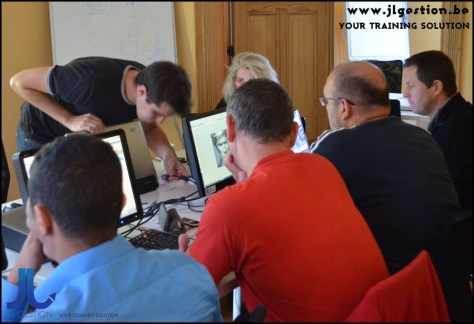

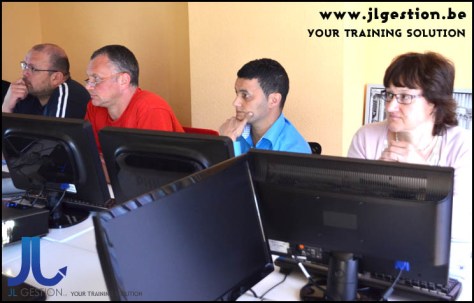


 Training-brussels - business training center in Brussels